Scamwatch publishes scam loss figures every year, and the totals run to hundreds of millions of dollars. Plenty of the account takeovers behind scams like these start the same way: someone had a password, and nothing else stood between them and your inbox. That’s the entire case for two-factor authentication, or 2FA, in one sentence. It means proving who you are with two different things, usually something you know (your password) and something you have (your phone, an app, or a small physical key). We get asked constantly which version is “the good one.” The honest answer is that they’re not equal, and we reckon it’s worth five minutes working out which you’ve actually got switched on right now.
What two-factor authentication actually does
A password is a single lock. If someone steals it, guesses it, or buys it off a dark web list after a breach, they’re in. Two-factor authentication adds a second, different lock that a stolen password alone can’t open. The three common forms in Australia right now are a code sent by text message, a rotating code generated by an app on your phone, and a small physical security key you plug in or tap.
They all do the same basic job. They are not equally hard to defeat, and that distinction rarely gets explained properly, which is how people end up assuming “I’ve got 2FA on” means they’re covered, full stop.
SMS codes: convenient, not bulletproof
Text message codes are the most common form of two-factor authentication because every phone can receive them and there’s nothing to download. You log in, a six-digit code lands in your messages, you type it in. Simple.
The weakness is a trick called SIM swapping. A scammer gathers enough of your personal details, usually from previous data breaches or social media, then convinces your telco’s call centre that they’re you and need a new SIM for a “lost phone.” If it works, your number moves to their SIM, and every SMS code meant for you now lands in their hands. It doesn’t happen to everyone, but when it does it’s devastating, because the victim often finds out when their bank accounts are already drained and their own phone has gone dead.
Our take is that SMS 2FA is still much better than no 2FA. If the choice at your bank is SMS codes or nothing, take the codes. But we’d argue it shouldn’t be treated as the finish line, more as the entry-level option you upgrade from once you’ve got ten minutes spare.
Authenticator apps: the sensible middle ground
An authenticator app lives on your phone and generates a fresh six-digit code every thirty seconds, with no text message involved at all. Because nothing travels over the mobile network, SIM swapping can’t touch it. Google Authenticator, Microsoft Authenticator and similar free apps all work roughly the same way: you scan a QR code once when setting up a new account, and from then on the app and the website generate matching codes independently.
The catch most people hit is losing the phone, or upgrading phones without transferring the app properly, and suddenly being locked out of everything. Most authenticator apps now offer encrypted cloud backup for exactly this reason, and it’s worth switching that on the day you install the app, not the day after you’ve lost your handset at the pub.
In our experience this is the sweet spot for most ordinary Australians: meaningfully more secure than SMS, costs nothing, and doesn’t require buying any extra hardware. If you’ve only got the energy to fix one thing this afternoon, moving your email and banking logins from SMS codes to an authenticator app is the one we’d pick.
Security keys: the strongest option most people skip
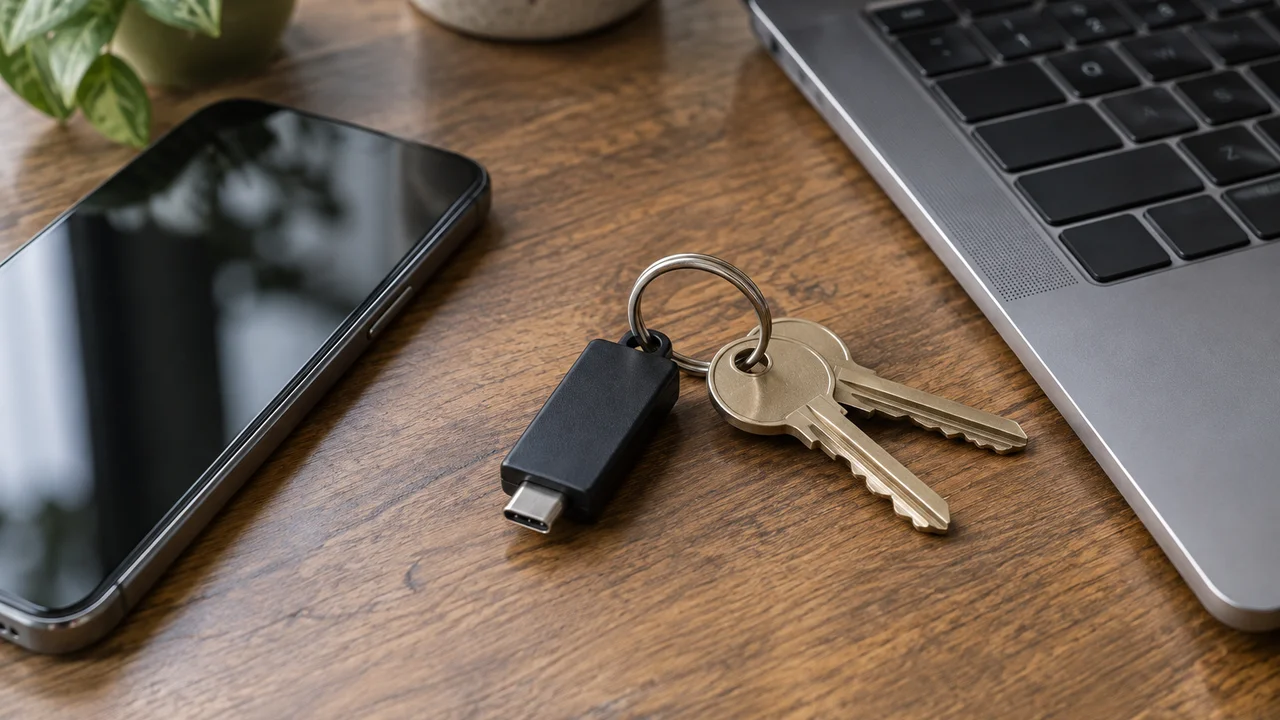
A security key is a small physical device, often shaped like a USB stick, that you plug into your computer or tap against your phone to prove it’s really you logging in. Brands like YubiKey are the best known. Because the key uses cryptographic proof tied to the exact website you’re logging into, it’s essentially immune to the phishing pages that catch out SMS and authenticator app codes. If a scammer sets up a fake Commonwealth Bank login page and you type in your password and your six-digit app code, both can be captured and reused in real time. A security key simply won’t respond to the fake site at all, because the cryptography checks the website’s actual address, not just what it looks like.
This is the part where we’ll offer a view that goes against a lot of mainstream advice: we think security keys are underrated for ordinary punters, not just IT departments and journalists worried about nation-state hacking. The usual line is that keys are overkill for everyday people. We don’t buy that. A $30 to $60 key protecting your main email account, the one that every password reset for every other account flows through, is one of the cheapest insurance policies in tech. You don’t need two or three keys for every service. One or two keys on your email and your password manager covers the accounts that matter most.
The downside is real, though. Not every Australian bank or service supports security keys yet, you need to buy the hardware, and if you lose the key without a backup method set up, recovery can be a headache. That’s why we suggest keys as an addition for your two or three most important accounts, not a replacement for authenticator apps everywhere else.
Which accounts deserve which level
Not every login needs the same treatment, and trying to lock down everything equally just leads to burnout and people switching 2FA off altogether out of frustration. We think about it in three tiers.
- Your email account and password manager sit at the top, because losing these gives an attacker the keys to reset almost everything else. This is where a security key earns its keep, with an authenticator app as backup.
- Banking, superannuation and anything handling real money sits in the middle. An authenticator app is genuinely solid here, and most major Australian banks now support them alongside or instead of SMS.
- Everything else, the shopping accounts, the streaming logins, the forum you signed up to in 2014, can reasonably stay on whatever’s easiest, including SMS, because the blast radius of a breach there is smaller.
If your bank still only offers SMS codes, that’s a limitation on their end, not yours, and it’s a fair question to put to them directly.
The setup you can do this afternoon
Start with your email provider. Search their account settings for “two-step verification” or “two-factor authentication,” and if an authenticator app option exists alongside SMS, switch to it. Most providers walk you through scanning a QR code with your phone’s camera inside the authenticator app, which takes under two minutes.
Do the same for your password manager if you use one, then your main bank. While you’re in each settings menu, look for backup codes, a set of one-time codes you print out or save somewhere safe in case you lose your phone entirely. We’d stash these in a password manager’s secure notes feature or a physical folder at home, never in an unprotected photos app.
If you’re on an older Android handset or iPhone that’s genuinely struggling to run current apps, that’s also worth factoring in; our guide to phone repair or replace covers when it’s time to upgrade rather than limp along on a device that can’t handle modern security apps properly. And if the account in question sits behind a home router, it’s worth checking that’s locked down too, since a compromised router can undermine even good account security; we’ve got a full walkthrough in our piece on how to secure your home router.
Common mistakes worth avoiding
The biggest one we see is people reading out their six-digit code to someone who calls claiming to be from their bank’s fraud department. No legitimate bank employee will ever ask you to read them a 2FA code over the phone, full stop. That code existing at all means someone, somewhere, already has your password and is trying to get past the second lock using you as the weak point. If a caller asks for it, hang up and ring your bank back on the number printed on your card.
The second mistake is treating 2FA as a substitute for a strong, unique password rather than an addition to one. Reused passwords are still how most of these situations start in the first place, often traced back to old breaches like the one that hit Formspring’s user password hashes years ago, where credentials sat around waiting to be tried against other accounts. A password manager generating unique passwords for every site, paired with an authenticator app, closes off both angles at once.
The third is ignoring 2FA prompts you didn’t request. If your phone suddenly buzzes with a login code you didn’t ask for, someone has your password and is trying to get in right now. That’s your signal to change that password immediately, not to dismiss the notification and move on with your day.
Our verdict: pick the level that fits the account
We don’t think there’s one correct answer here, and we’re suspicious of advice that pretends there is. SMS is better than nothing and fine for low-stakes accounts. Authenticator apps are the right default for most of your digital life and cost nothing. Security keys are the strongest option going, and whilst the mainstream advice treats them as niche, we reckon a $30 key on your email account is one of the better small purchases an Australian household can make this year.
What actually matters is doing something today rather than filing this away as a someday job. Pick your email account, spend ten minutes switching it from SMS to an app, and you’ve already closed off the most common way these account takeovers start. The rest can wait for next weekend.
If you want more detail on the scam tactics that make 2FA necessary in the first place, the Australian Cyber Security Centre’s guidance at cyber.gov.au’s multi-factor authentication advice is a solid primer, and the ACCC’s Scamwatch reporting data is worth a browse if you want to see which scam types are currently trending upward.
— Em Castellano, Security Writer, Tech Geek