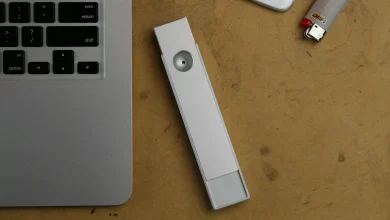
A coin-cell tracker the size of a fifty-cent piece now does more to prevent a ruined holiday than most travel insurance policies. That’s the pitch, anyway. We’ve spent a fair stretch of this year rotating an AirTag, a Samsung Galaxy SmartTag and a Tile between backpacks, glove boxes and the bottom of a nappy bag, and the honest answer is that the “best” one depends entirely on what’s already in your pocket.
With bluetooth trackers compared side by side, the differences aren’t really about the hardware. They’re about the network each tag quietly borrows to find itself when it’s out of Bluetooth range, and about what happens to your data while it does that. That’s the bit most spec sheets skip.
How these things actually work
Every Bluetooth tracker does the same basic trick. It doesn’t have GPS or mobile data itself, it’s too small and the battery wouldn’t last a week if it did. Instead it broadcasts a quiet Bluetooth signal that nearby phones, strangers’ phones, not just yours, pick up anonymously and relay back to a cloud service with a location. Apple calls its version Find My, Samsung calls it SmartThings Find, and Tile runs its own smaller network layered on top of Life360’s user base since the two companies merged their tracking networks.
The size of that background network matters more than any spec on the tag itself. A tracker is only as useful as the number of phones likely to walk past it. That’s the whole game.
AirTag: brilliant if you’re all-in on iPhone
The AirTag is still, in our experience, the smoothest of the three to actually live with, provided every device in the house is an iPhone. Setup takes seconds, the Precision Finding feature (it uses the iPhone’s Ultra Wideband chip to give you an arrow and a distance in metres) is genuinely useful for the “it’s definitely in this couch somewhere” moment, and the Find My network is enormous simply because there are so many iPhones in Australia.
The catch is Apple’s walled garden. An AirTag is close to useless if the person losing the bag carries an Android phone, and Apple has made zero noise about changing that. Battery is a standard replaceable CR2032 button cell, lasting roughly a year, which we’d call a genuine strength next to a few rivals that lock you into proprietary charging. Anti-stalking protections have improved too; both Apple and Google now run cross-platform unwanted tracker alerts, so an Android user walking around with an unfamiliar AirTag nearby should get a warning, though we’ve found the timing and sensitivity of those alerts can feel inconsistent in real-world testing.
Galaxy SmartTag: the mirror image problem
Samsung’s SmartTag2 does for Galaxy phones roughly what AirTag does for iPhones, and if you’re a two-Samsung-phone household it works nearly as well. The SmartThings Find network leans on Samsung’s install base specifically, which is large in Australia but noticeably smaller than Apple’s broader Find My network once you’re off the beaten track, think a regional highway rest stop versus a Bunnings car park in Dandenong.
We rate the SmartTag2’s battery life highly: Samsung’s own figures put it well beyond a year on a single CR2032, and there’s a “power saving” mode that stretches it further at the cost of less frequent location pings. The compass-guided finding works nicely if you’ve got a recent Galaxy handset, but it’s another closed loop. Buy one as an iPhone user and you’ve bought an expensive paperweight with excellent battery life.
Tile: works everywhere, finds less often
Tile’s pitch has always been platform neutrality, and that’s still true. It works on iPhone and Android through its own app, which sounds like the obvious winner for mixed households, of which there are plenty given how often mobile phones in Australia get chosen on upgrade timing rather than brand loyalty.
The honest trade-off is network size. Tile’s finding network, now folded into Life360, is a fraction of Apple’s or Samsung’s, because it depends on people actually having the Tile or Life360 app installed and running in the background, rather than every modern iPhone or Galaxy doing it automatically at the operating system level. We’ve left a Tile in a jacket at a cafe and had it sit unfound for a day longer than an AirTag would have in the same spot, simply because fewer phones nearby were listening for it.
Where Tile does win is subscription flexibility and the option of a “Life360 Silver” style premium tier with smart alerts and a $1-million warranty style reimbursement in the US market; Australian terms vary, so check the fine print rather than assuming the American offer applies here. For renters wanting one tracker that works regardless of what phone a flatmate or partner carries, it’s still the only sensible cross-platform pick.
Our slightly contrarian take: buy to match the house, not the gadget
Here’s where we’ll push back on the usual advice. Most buying guides treat this as a three-way spec contest. We reckon that’s the wrong frame entirely. The single factor that predicts whether you’ll actually find your lost keys is whether the tracker’s network matches the phones most likely to walk near wherever you lost them, which in a mixed-phone household is neither Apple’s nor Samsung’s exclusive ecosystem.
If your whole family is on iPhone, buy AirTags and don’t overthink it. If you’re a rock-solid Samsung household, SmartTag2 is the better buy purely on battery life and it’s usually a bit cheaper, often somewhere around $40 to $50 at the time of writing versus AirTag’s roughly $45 to $50 single-unit price. But the moment there’s a mix of iPhone and Android under one roof, the “best” tracker on paper becomes the worst one in practice, because half the household’s phones aren’t contributing to the search network at all.
Who actually needs one
Tradies leave tool bags in utes and hand tools in share houses under renovation; a tracker clipped to a bag of gear is cheap insurance against a stolen tool box, though it won’t stop a determined thief who knows to look for one. Parents tend to reach for these for school bags and, more controversially, for younger kids’ backpacks as a location check rather than a tracking device, something worth being upfront with kids about rather than running covertly, particularly given how seriously the eSafety Commissioner treats covert monitoring of children as its own category of concern once kids are old enough to object to it.
Travellers get the clearest, least controversial use case: drop one in checked luggage and you’ve got an independent record of where a bag actually went if an airline loses it, which still happens often enough that it’s worth the five dollars a year in battery cost. We’d also point frequent flyers toward thinking about how they manage devices generally while overseas, which overlaps with broader advice we’ve given on whether a VPN is worth it in Australia for the security-conscious traveller mindset, even though a tracker and a VPN solve different problems.
Privacy, stalking and what the law says
This is the part we won’t gloss over. Bluetooth trackers have been used for stalking, both overseas and here, and manufacturers have responded with varying urgency. Apple and Google now share a cross-platform specification for unwanted tracker alerts so an Android phone will warn you about a nearby AirTag travelling with you, and vice versa for SmartTag. Tile has historically lagged on this front, having only added an in-app scan feature rather than automatic background alerts, which we’d call a genuine weak point given how much Tile leans on its cross-platform pitch elsewhere.
If you ever find an unfamiliar tracker moving with you and you believe you’re being tracked without consent, Australia’s Scamwatch isn’t the right first stop since this sits outside scams; report it to police and, if there’s a safety risk, treat it as seriously as any other stalking matter. The eSafety Commissioner’s site has specific guidance on tech-facilitated abuse that’s worth a read if this ever applies to you or someone you know.
Battery, repairability and the bit nobody asks about
We care more about this than most buying guides bother to, and it’s a genuine point of difference. All three major trackers use replaceable CR2032 coin cells, which is good news generically, you’re not locked into a proprietary charger and a dead tracker doesn’t mean landfill. Where they differ is water resistance (AirTag and SmartTag2 are both rated for light splashes and short dunks, handy for the tradie whose keys end up in a puddle) and in how easy the battery door actually is to open one-handed, which sounds trivial until you’re doing it on a bike in the cold.
None of these manufacturers publish a repairability score through anything like the EU’s energy label scheme, so you’re relying on teardown reports and community experience rather than an official rating. If that bothers you as much as it bothers us, it’s a reasonable nudge toward whichever brand already dominates your other devices, if only because support and app updates tend to track the platform’s broader software commitment, something we’ve written about at length in the context of phone repair or replace decisions generally.
The verdict: match it to your phone, not the marketing
Our take, after months of these things rattling around in bags: buy AirTag if your household is iPhone-first, buy SmartTag2 if it’s Galaxy-first, and only reach for Tile if you genuinely need one tracker to work equally well across a mixed-phone family or share house. Don’t buy based on the UWB precision-finding demo in store, because most people lose things in a cafe or a car park where the broad network coverage matters far more than an arrow pointing at a cushion.
And if you’re buying for a teenager or an ageing parent, spend the extra five minutes explaining what the tracker does and doesn’t see, location pings, not conversations or browsing, because that conversation prevents more arguments than any feature comparison we could write here.