If you are still using the same three or four passwords across every account you own, you are not alone, and you are also sitting on one of the easiest problems in personal cybersecurity to fix. Password managers have quietly become one of the highest-value tools an ordinary person can install, and in 2026 the choice has narrowed to a handful of genuinely solid options. We have spent time living inside Bitwarden, 1Password and Proton Pass, and we have put the free password managers built into Chrome, Safari, Windows and Android through their paces too. Here is where we landed, and what we think Australians should actually do about it.
Why this matters more than ever
Credential stuffing, where attackers take a password leaked from one breached site and try it against your email, your bank and your social accounts, remains one of the most common ways ordinary Australians get compromised. We covered the broader threat landscape in our rundown of the cybersecurity threats Australians are actually facing in 2026, and reused passwords sit near the top of that list every single year. A password manager solves this in one move: every account gets a long, random, unique password, and you only need to remember one master password to unlock the lot.
It is not just a desktop problem either. If your phone is compromised, a browser-saved password can be extracted in seconds, which is one of the reasons we wrote our guide on how to tell if your phone has been hacked. A dedicated password manager with proper encryption and biometric locking on mobile gives you a meaningfully stronger barrier than whatever your phone’s browser is doing by default.
How we compared them
We judged each option against the same criteria a household actually cares about, rather than a spec sheet nobody reads:
- Encryption model and whether the provider can technically see your data
- Passkey support, both storing them and using the app as a passkey provider
- Price in Australian dollars, including whether the free tier is actually usable
- Family and household sharing options
- Cross-platform support, particularly Windows, macOS, iOS, Android and every major browser
- Recovery options if you lose your master password
Bitwarden
Bitwarden remains the option we recommend most often, and for most Australian households it is the sensible default. It is open source, meaning its encryption implementation has been independently audited and picked apart repeatedly, and the free tier is not a stripped-down trial, it is a genuinely complete password manager with unlimited passwords, unlimited devices and a browser extension that works properly on Chrome, Firefox, Edge and Safari.
Bitwarden uses end-to-end encryption with your master password as the only key, so Bitwarden itself cannot read your vault even if it wanted to. Passkey support has matured considerably; Bitwarden can now store and autofill passkeys across desktop and mobile, and it can act as your system-wide passkey provider on Android. The premium tier costs roughly 15 AUD per year for an individual, and the families plan, which covers six users, comes in at around 60 AUD per year, making it comfortably the cheapest option on this list once you go past a single free account.
The trade-off is polish. Bitwarden’s interface is functional rather than beautiful, and some of the more advanced features, like Send for sharing sensitive files, are tucked away in menus that are not always intuitive on first use. For anyone comfortable with a slightly more utilitarian tool in exchange for saving money, that is a fair trade.
1Password
1Password is the polished, premium option, and it is the one we suggest for people who want the smoothest possible experience and do not mind paying for it. The interface is genuinely excellent across every platform, autofill is close to flawless, and the Watchtower feature actively flags reused, weak or breached passwords in your vault without you having to go looking for problems.
Passkey support in 1Password is arguably the most mature of any manager we tested; it handles passkey creation, storage and syncing across devices smoothly, and integrates neatly with browser-based passkey prompts. 1Password uses a secret key in addition to your master password, an extra layer that means even a leaked account database from 1Password’s servers would not be enough to access your vault, since the secret key never leaves your devices.
Pricing sits at roughly 58 AUD per year for an individual and around 96 AUD per year for a families plan covering up to five people, noticeably more than Bitwarden but with a smoother day-to-day experience and stronger built-in security monitoring. There is no permanently free tier, only a trial, which is the main reason some households choose elsewhere.
Proton Pass
Proton Pass is the newest serious entrant and it has closed the gap on the two incumbents faster than we expected. Built by the same Swiss-based team behind Proton Mail and Proton VPN, it shares their privacy-first positioning and end-to-end encryption model. If you already pay for a Proton bundle for email or VPN, Pass is included, which makes it an easy add rather than a new subscription.
Its standout feature is hide-my-email style alias generation built directly into the password manager, letting you create a unique forwarding email address for every account you sign up for, which limits the damage of any single breach and cuts down on tracking. Passkey support arrived later than Bitwarden and 1Password but is now solid across desktop and mobile. The free tier is usable but capped at a modest number of stored logins on the free plan, and Pass Plus runs at roughly 50 AUD per year individually, with the Proton Unlimited bundle, which includes Pass, VPN, Mail and Drive together, working out to reasonable value if you want more than one of those services anyway.
The trade-off is ecosystem lock-in of a different kind: Proton Pass makes the most sense once you are already inside the Proton ecosystem, and its browser extension and autofill, while solid, are a notch behind 1Password’s for pure smoothness.
Built-in browser and OS password managers
Chrome’s password manager, Apple’s Keychain, and the password managers built into Windows and Android have all improved substantially, and they are unquestionably better than reusing the same password everywhere. If the realistic alternative for someone in your life is no password manager at all, telling them to turn on their browser’s built-in option is good advice.
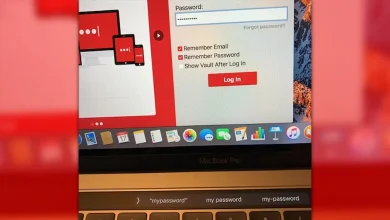
That said, we do not recommend them as a primary solution for anyone who can manage a dedicated app instead. They tend to lock you into one ecosystem, so a Chrome password is awkward to use in Safari and a Keychain password does not travel cleanly to a Windows PC. Security auditing features are thin or absent, breach monitoring is inconsistent, and family sharing tools are far less flexible than a dedicated manager’s. We would also point back to our coverage of the LastPass bug that exposed MacBook Pro Touch Bar passwords as a reminder that even purpose-built password tools are not immune from serious flaws, so a built-in manager with less scrutiny and fewer resources dedicated to security testing is not somewhere we would want years of sensitive credentials sitting long-term.
Passkeys: what is actually supported in 2026
Passkeys are the industry’s replacement for passwords entirely, using device-based cryptographic keys instead of a string you type in, and they are becoming genuinely mainstream this year across banks, email providers and major retailers. All three dedicated managers we tested, Bitwarden, 1Password and Proton Pass, can now store passkeys and act as your passkey provider across major browsers and operating systems, meaning you are not locked into using only Apple’s or Google’s own passkey storage.
This matters practically because passkeys need to sync somewhere, and if you only rely on Apple’s iCloud Keychain or Google Password Manager for passkey storage, switching phones or platforms later can be painful. Keeping your passkeys in a cross-platform manager avoids that lock-in. The Australian Cyber Security Centre has published guidance on passkeys and modern authentication as part of its broader push to get households and small businesses off weak passwords, and it is worth a read if you want the technical detail behind why passkeys are considered more phishing-resistant than passwords.
Cost in Australian dollars, side by side
- Bitwarden: free tier fully usable; Premium around 15 AUD per year; Families around 60 AUD per year for six users
- 1Password: no permanent free tier; Individual around 58 AUD per year; Families around 96 AUD per year for five users
- Proton Pass: free tier with limited stored logins; Pass Plus around 50 AUD per year; Proton Unlimited bundle (Pass, VPN, Mail, Drive) often better value if you want more than one Proton product
- Browser and OS built-ins: free, but with weaker cross-platform support and thinner security features
Family sharing, compared honestly
For households, this is often the deciding factor. Bitwarden’s Families plan is the cheapest way to get six people onto shared and individual vaults with an admin console to manage them, which suits larger or multi-generational households well. 1Password’s Families plan is more polished, with an easier setup flow for less technical family members and a built-in recovery process if someone forgets their master password, which is genuinely valuable for households with older parents or younger kids on the plan. Proton Pass currently offers family sharing through the Proton Family bundle, bundling Pass with the rest of Proton’s suite, which is worth considering if your household already uses Proton Mail or Proton VPN.
Whichever you choose, the practical benefit is the same: shared logins for things like streaming services or the family Wi-Fi can live in a shared vault, while everyone still keeps their own personal logins private in their individual vault.
What to do if you are still reusing passwords
If this article is the first time you have properly considered a password manager, here is the realistic path we would suggest rather than trying to fix everything at once:
- Pick one manager and install it on your phone and your main browser today, even before you have decided if you will pay for it
- Change your email password first, since email is usually the recovery method for everything else you own
- Move your banking, superannuation and government service logins next, generating a new unique password for each as you go
- Turn on multi-factor authentication everywhere it is offered, ideally using an authenticator app or passkey rather than SMS codes
- Work through the rest of your accounts gradually over a few weeks rather than trying to do it all in one sitting
If you are unsure whether any of your existing accounts have already been caught up in a data breach, it is worth checking your email addresses against a reputable breach-notification service as part of this process, and keeping an eye on official guidance from bodies like the OAIC on what to do if your personal information has been exposed in a breach, since the response, such as who to notify and what rights you have, is set out clearly on the Office of the Australian Information Commissioner’s website.
Final thoughts
There is no single correct answer here, only trade-offs that suit different households. If you want the cheapest genuinely capable option and do not mind a plainer interface, Bitwarden is hard to beat. If you want the smoothest experience and are happy to pay a premium for it, 1Password remains the benchmark. If privacy is your primary concern and you are already inside the Proton ecosystem, Proton Pass is a sensible and increasingly capable choice. And if none of that happens today, simply turning on the password manager already built into your phone or browser is still a large step up from reusing the same password everywhere.
What matters far more than which brand you pick is that you pick one and actually start using it this week. The gap between no password manager and any password manager is enormous; the gap between the various good password managers is comparatively small.