Walk through an average Australian home in 2026 and you’ll trip over a dozen tiny microphones and cameras before you reach the kitchen. The smart speaker on the bench, the video doorbell out front, the robot vacuum mapping the floor plan, the smart TV watching what you watch back — none of it feels sinister on its own. But add it up and most households are running a small surveillance network that reports back to servers in the US, China or wherever the manufacturer happens to host its cloud, often with very little visibility into what’s actually being sent.
We get asked a version of the same question a lot: is my smart home actually spying on me, or is that just tinfoil-hat talk? The honest answer is somewhere in the middle. Most of these devices aren’t malicious by design, but they’re collecting far more than most people realise, the data has already been misused in ways that made headlines, and Australian privacy law only covers part of the picture. Here’s what’s actually happening, what’s gone wrong overseas and here at home, and what you can do about it without throwing every gadget in the bin.
What your smart devices are actually collecting
Every smart home device is, at its core, a sensor with a network connection. What varies is how much it collects, how long it keeps it, and who else gets to see it. Reading the actual privacy policy on most of these products (rather than skimming the box) tends to be an eye-opener.
- Smart speakers and voice assistants: wake-word audio snippets, voice recordings sent for transcription, device usage patterns, and in some cases far more audio than users expect due to accidental “wake” triggers.
- Video doorbells and security cameras: continuous or motion-triggered footage, audio from two-way intercoms, timestamps of who comes and goes, and in many cases facial “person detected” analysis run in the cloud.
- Robot vacuums: full floor-plan maps of your house, furniture layout, and — in devices with cameras for navigation — raw images of rooms, which have in some cases included people.
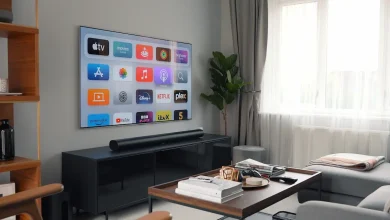
- Smart TVs: automatic content recognition (ACR) that fingerprints everything on screen, including content from a plugged-in games console or streaming stick, tied to an advertising ID.
- Smart plugs, lights and sensors: usage timing that reveals when you’re home, asleep, or away — individually trivial, but powerful when combined into a household activity profile.
None of this is necessarily illegal, and manufacturers will point out (correctly) that some of it is needed for the product to function. A voice assistant has to process audio to respond to a command. A doorbell has to record to alert you to a visitor. The problem is less about the core function and more about the secondary uses: data retention periods measured in years, sharing with “trusted partners” for advertising, and cloud processing when local processing would do the job just as well. We’ve looked at that trade-off in more detail in our piece on local AI versus cloud AI in Australia, and it’s directly relevant here — a growing number of smart home brands are quietly moving voice and video processing onto the device itself, which is a genuine privacy win, but plenty of gear sold in Australia in 2026 still ships everything to the cloud by default.
The uncomfortable bit: real cases of data misuse
This isn’t hypothetical. Smart home data has already been pulled into situations well beyond what buyers expected when they unboxed the device.
- Voice assistant recordings have been handed to police and used as evidence in criminal investigations overseas, including cases where recordings were obtained via warrant from the manufacturer’s cloud storage rather than the device itself.
- Video doorbell footage has been shared with law enforcement by manufacturers in bulk, in some instances without a warrant and without the device owner’s knowledge or consent, prompting regulatory scrutiny in the US.
- Robot vacuum test units with navigation cameras had images — including some showing people in private moments at home — leaked online after being passed to contracted data-labelling workers overseas, despite manufacturer assurances that footage stayed private.
- Smart TV manufacturers have faced regulatory action and lawsuits over automatic content recognition tracking viewing habits and selling that data to advertisers without adequately disclosing it to customers.
- A camera-brand cloud breach exposed live feeds from thousands of home security cameras to the wrong accounts, letting some users briefly see into other people’s homes due to a backend access-control failure.
The common thread in all of these isn’t that the devices were hacked by criminals in hoodies — it’s that the manufacturers themselves, or their contractors, mishandled data that should never have left the house, or shared it more widely than customers agreed to. That’s a much harder problem to defend against with antivirus software, because the weak point isn’t your network, it’s the vendor’s back end.
Locking down your home network first
Before you touch individual device settings, the single biggest improvement most households can make is separating smart home gear from the devices that actually matter — your laptop, phone, and anything with banking or work logins on it. Most modern routers (and every mesh Wi-Fi system worth buying) support a guest network or a separate VLAN, and IoT devices should live there, not on your main network.
The logic is the same as the segmentation advice we cover in our guide to protecting a website from data breaches: you don’t let every system talk to every other system just because it’s convenient. A compromised smart plug on an isolated guest VLAN is an annoyance. A compromised smart plug sitting on the same network as your laptop and NAS is a foothold into everything else you own.
- Set up a dedicated guest or IoT SSID on your router and put every smart device on it, not your phones and computers.
- If your router supports VLANs, go a step further and firewall the IoT VLAN so devices can reach the internet but can’t see each other or your main network.
- Turn off UPnP (Universal Plug and Play) on your router — it lets devices open ports automatically, which is convenient for setup and risky for everything else.
- Change default admin passwords on the router itself, not just on individual smart devices.
- Review connected devices in your router’s admin panel every few months and remove anything you no longer use or recognise.
Hardening the devices themselves
Network segmentation limits the blast radius, but it’s worth also going through each device individually. This takes maybe twenty minutes across a typical smart home and closes off most of the easy wins for anyone — or anything — trying to snoop. Cyber.gov.au’s guidance on securing internet of things devices covers much of the same ground and is worth a read before your next smart home purchase.
- Mute the microphone physically when a smart speaker isn’t in active use, especially in bedrooms; most have a hardware mute switch that cuts power to the mic circuit rather than just a software toggle.
- Point cameras (doorbells, indoor cams, robot vacuums with navigation cameras) away from areas where they’re not actually needed, and use privacy zones or scheduled-off features where the app supports them.
- Check the manufacturer’s actual data policy before buying, not after — specifically how long recordings are kept, whether they’re used to train AI models, and whether they’re shared with third parties or law enforcement without a warrant.
- Turn off “voice history” and “help improve our products” style opt-ins in every companion app; these are almost always opt-out, not opt-in, and default to on.
- Keep firmware up to date and enable automatic updates where offered — a large share of smart home compromises exploit known, already-patched vulnerabilities on devices people never updated.
- Use unique, strong passwords per device or account rather than the same one everywhere, and turn on two-factor authentication on the manufacturer app if it’s offered.
- Retire and factory-reset devices you’re no longer using rather than leaving them connected and forgotten — an old, unpatched smart plug is still a device on your network.
On the voice assistant and smart TV side specifically, it’s worth checking whether the brand you own offers on-device processing for wake-word detection and basic commands rather than sending everything to the cloud. As we discussed in our look at the privacy cost of on-device AI, local processing isn’t a silver bullet and it comes with its own trade-offs around cost and capability, but for anything listening in your living room or bedroom, it meaningfully reduces how much raw audio ever leaves the house in the first place.
What Australian privacy law does — and doesn’t — cover
Australia’s core privacy protection is the Privacy Act 1988 and the thirteen Australian Privacy Principles (APPs) that sit under it, regulated by the Office of the Australian Information Commissioner. The APPs require APP entities to be transparent about what personal information they collect, use it only for the purpose it was collected for (with some exceptions), and take reasonable steps to keep it secure. The OAIC has specifically flagged that “internet of things” devices create new, often passive, collection methods that don’t fit neatly into how the Act was originally conceived — data gathered through constant background monitoring rather than a person actively handing it over.
Where it gets messier is coverage and enforcement. The Privacy Act generally exempts small businesses with turnover under $3 million a year, which catches out a fair few boutique smart home brands and local resellers even though the devices themselves might be manufactured overseas by giants who fall well outside that exemption. Enforcement against an offshore manufacturer whose servers and head office sit in another jurisdiction is also a genuinely difficult, slow process compared with dealing with an Australian company. In short: the law says data has to be handled reasonably and disclosed properly, but there’s no dedicated Australian statute built specifically for smart home or IoT devices, and plenty of real-world gaps in who’s actually on the hook when something goes wrong.
Security, as distinct from privacy, is catching up faster. From 2026, mandatory cyber security standards for consumer smart devices sold in Australia start requiring baseline protections — things like banning universal default passwords and requiring a clear way to report security vulnerabilities — moving that side of things from voluntary guidance to enforceable rules. It’s a genuinely useful step, but it’s aimed at stopping devices being hijacked and used in botnets, not at controlling what a compliant, unhacked device is allowed to quietly collect and sell about you. Privacy and security are related, but closing one gap doesn’t automatically close the other.
Final thoughts
Your smart home probably isn’t “spying” on you in the cloak-and-dagger sense, but it is collecting, storing and sometimes sharing more about your daily life than most people sign up for when they unbox a new speaker or doorbell. The realistic fix isn’t to swear off smart devices entirely — it’s to treat them the way you’d treat any other always-on collector of your data: put them on their own network, turn off the settings you don’t need, read the data policy before you buy rather than after something goes wrong, and keep firmware current. Do those four things and you close off the vast majority of the real-world incidents we’ve covered here, while still getting to enjoy the convenience that got you buying smart devices in the first place. The law is slowly catching up too, but until it fully covers the gap, the practical steps above are still doing most of the heavy lifting for your household.