$1,500 has been the go-to figure for a “proper” gaming PC build in Australia for years, and it still works, just not quite the way it used to. AI-driven demand has pushed memory prices up sharply through 2026, and anyone piecing together a gaming PC in Australia this month will notice RAM and SSD costs eating into a budget that used to go almost entirely on the graphics card. This guide walks through a sensible gaming PC build for around $1,500 AUD at the time of writing: where the money should go component by component, what 1080p and 1440p performance actually looks like at this price, and the mistakes that catch first-time builders out.
Why $1,500 doesn’t stretch like it used to
Start with the uncomfortable bit. Through the first half of 2026, industry pricing reports pointed to DRAM contract prices climbing by more than half and NAND flash by even more, as data centres and AI accelerator makers soaked up manufacturing capacity that used to go into consumer RAM and SSDs. The knock-on effect at the retail end has been real: a 32GB DDR5 kit that Australian shoppers could find comfortably under $200 a couple of years back now often sits closer to $250 to $300, and budget NVMe drives haven’t been spared either.
We’d argue this changes the maths for a $1,500 build more than any single new CPU or GPU launch has this year. The old rule of thumb, spend roughly half the budget on the graphics card and treat everything else as a rounding error, doesn’t hold up when a motherboard and a RAM kit alone can chew through a third of the money. If you’re planning a build this spring, price your RAM and storage first, then see what’s left for the GPU, not the other way around.
The CPU: build on AM5, don’t overthink it
For $1,500, the sensible move is a six-core Ryzen 5 9600X on AMD’s AM5 platform, part of the lineup detailed on AMD’s own Ryzen processor pages. It’s 6 cores, 12 threads, a 5.4GHz boost clock and a modest 65W power draw that keeps cooling simple and cheap. It’s not the fastest chip AMD sells, but in a build where the graphics card is doing most of the work for gaming, a mid-tier CPU is the right call.
Intel’s Core Ultra 200-series is a genuine alternative, and in some titles it edges the 9600X on raw frame rates. We’d still lean AMD here, and it’s a mildly unpopular take among builders chasing the last few frames: AM5 has a longer confirmed upgrade runway than Intel’s current desktop socket, so the motherboard you buy today is more likely to still be useful when you want a faster CPU in two or three years. We’ve laid out the full case for each platform in our AMD Ryzen 9000 vs Intel Core Ultra 200 comparison, worth a read if you’re on the fence.
Whichever way you go, pair the CPU with a B850 motherboard rather than the older B650 boards still turning up on some shelves. AMD has been quietly phasing B650 out through 2026, and B850 boards guarantee PCIe 5.0 on the primary M.2 slot, which matters more for future SSD upgrades than for gaming today.
The graphics card: RTX 5060, 5060 Ti, or an AMD punt
The GPU still eats the biggest slice of the budget, and it should. The RTX 50-series line-up starts at the 8GB RTX 5060, which launched at a US price equivalent to roughly $450 AUD, but Australian shelf prices through the middle of 2026 have mostly sat closer to $550 to $600 once local retailers and freight are factored in. We’ve covered where it sits against the rest of the range in our full RTX 50 series breakdown.
If you can stretch another $50 to $100, the 16GB RTX 5060 Ti is worth a serious look. At 1080p the two cards perform almost identically, but move up to 1440p with ray tracing on, or into texture-heavy recent releases, and the 8GB card starts showing rough frametimes that the 16GB version simply doesn’t. For a build you want to keep four or five years, that headroom is worth the squeeze.
AMD’s Radeon RX 9060 XT is the other option on the table, and on paper its RDNA 4 raster performance and FSR 4 upscaling are competitive. In practice, though, Australian pricing on the 9060 XT has tracked close to, and sometimes above, the RTX cards it’s meant to undercut, which blunts the usual value argument for going AMD at this tier. Check current pricing before you commit either way; the gap between the two brands moves around more than it used to.
Motherboard, RAM and storage: this is where the squeeze hits
Stick with a B850 micro-ATX board from a reputable brand. You don’t need Wi-Fi 7 or half a dozen fan headers for a $1,500 build; you need stable power delivery and enough M.2 slots for storage you’ll add later.
RAM is the genuinely painful part of this build right now. Where we’d normally recommend 32GB of DDR5 without a second thought, current pricing means a lot of builders are better off buying a fast 16GB kit and adding a second stick later once prices ease, rather than paying today’s premium for 32GB upfront. Whichever capacity you land on, enable XMP or EXPO in the BIOS on first boot. Skip that step and a DDR5-6000 kit will quietly run at its slowest default speed, a surprisingly common and easily missed mistake.
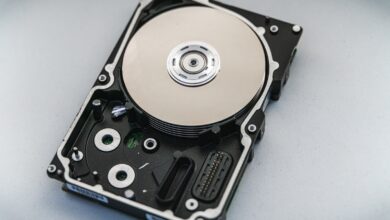
For storage, a single 1TB NVMe SSD is enough to start: the operating system, a handful of games, and room to breathe. NAND flash pricing has climbed through 2026 too, so don’t expect the bargain-bin drive prices from a couple of years back. Buy from a brand with a genuine warranty rather than chasing the absolute cheapest listing.
PSU and case: not the place to save $50
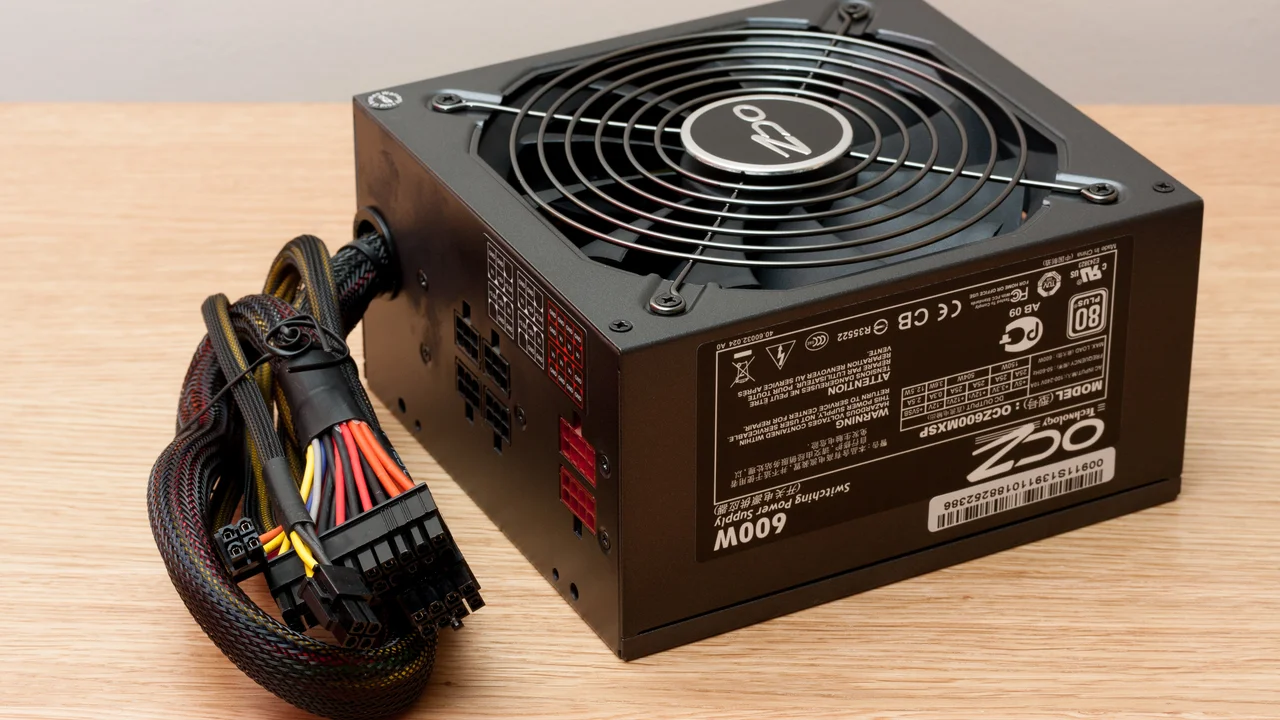
A 650W 80 PLUS Bronze power supply gives this build comfortable headroom without paying for wattage you’ll never use. Don’t go lower to save money, and don’t buy a no-name unit from a marketplace listing with no certification. A cheap PSU is the single component most likely to take the rest of your build down with it if it fails.
The case matters less than forum arguments suggest, but airflow does matter. A mesh-fronted mid-tower with room for at least two intake fans will keep the CPU and GPU cooler than a closed-off case with a single fan, and a cooler system is a quieter, longer-lived one. You don’t need tempered glass or RGB to hit good thermals, though there’s nothing wrong with wanting it if the budget allows.
What 1080p and 1440p performance actually looks like
With a 9600X-class CPU and an RTX 5060-class GPU, 1080p at high or very high settings is comfortable in the vast majority of current titles, including recent AAA releases, without leaning heavily on upscaling. That’s the resolution this build is really built around.
1440p is doable, just less consistently. Competitive and esports titles will run well past 100fps at 1440p on this hardware. Heavier, ray-traced AAA games are a different story: you’ll typically need DLSS or FSR upscaling set to Quality or Balanced to hold a steady 60fps, and that’s normal at this price point rather than a compromise unique to this particular build. Anyone telling you a $1,500 PC should run everything natively at 1440p with ray tracing maxed out is selling something.
If 1440p is your main target rather than an occasional treat, take that as a signal to prioritise the 16GB RTX 5060 Ti over the plain 5060, even if it means trimming the RAM kit back to 16GB for now.
Mistakes that catch first-time builders out
A handful of mistakes come up again and again on first builds, and most are easy to avoid once you know to look for them.
- Skipping the motherboard standoffs and mounting the board flush against the case, which can short the board the moment it’s powered on.
- Forgetting to enable XMP or EXPO, leaving a fast RAM kit running at a fraction of its rated speed.
- Using far too much thermal paste; a pea-sized dot in the centre of the CPU is plenty.
- Installing RAM in the wrong slot pair, which can stop the system booting into dual-channel mode, or booting at all.
It’s also worth setting aside time for software once the hardware side is done. Windows 11 has specific TPM and CPU requirements, and while every board we’d recommend for this build clears them comfortably, it still pays to check before you buy if you’re reusing an older part. We’ve covered exactly what to look for in our Windows 11 compatibility guide, including how to check TPM status without digging through the BIOS.
None of this is genuinely difficult. It’s fiddly the first time and routine the second, and reading the motherboard manual before you start saves more headaches than any single tip above.
Our verdict: is $1,500 still enough?
Yes, with the caveat that $1,500 buys a noticeably more modest build in September 2026 than it did two years ago, mostly because of RAM and storage pricing rather than anything to do with CPUs or GPUs. A Ryzen 5 9600X, an RTX 5060 or 5060 Ti, 16GB to 32GB of DDR5 depending on what you can find at a sane price, a 1TB NVMe drive, a 650W Bronze PSU and a decent mesh case will comfortably land in or near that budget and play current games well at 1080p, with 1440p on the table for lighter titles.
We reckon it’s still worth building rather than buying a prebuilt at this price, mainly because you know exactly what’s inside and can upgrade the graphics card alone in a couple of years without replacing everything else. Just go in expecting to trade off RAM capacity against GPU tier this time around, because right now you probably can’t max out both.
Featured image: Photo: Shixart1985, CC BY 2.0.