Buying a 4K gaming monitor in Australia in 2026 is a genuinely different exercise to buying one even two years ago. Panel technology has moved fast, GPUs have caught up to the point where 4K at high refresh rates is actually achievable without a $3,000 graphics card, and the ports on the back of your monitor now matter as much as the panel itself. We spend a lot of time in this space testing hardware and fielding reader questions, so we’ve pulled together the buyer’s guide we wish existed when we were last shopping for a new screen.
This isn’t a simple “top 10” list of whatever’s cheapest on sale this week. Monitor pricing shifts constantly and today’s bargain is next month’s discontinued model. Instead, we’re focusing on what actually matters when you’re choosing a 4K gaming display in the Australian market right now: the resolution and refresh rate trade-off, the panel technology fights (OLED vs Mini-LED vs IPS), the cabling and bandwidth requirements that trip up more buyers than anything else, and how each tier of monitor pairs with current-gen hardware.
Why 4K gaming monitors finally make sense
For years, 4K gaming monitors were a bit of a trap. The resolution looked incredible in screenshots, but unless you were running a flagship GPU, you were stuck bouncing between 45 and 60 frames per second in anything demanding, which is a miserable experience for competitive or fast-paced titles. That calculus has changed. With the arrival of the RTX 50 series, along with more efficient upscaling and frame generation techniques, genuine 4K at 100fps-plus is achievable on mid-range cards, not just the $2,500 flagships.
Current-gen consoles have caught up too. Both major consoles on the market now target 4K output with variable refresh rate support, and the newer console revisions push higher frame rates in performance modes than their predecessors ever managed. If you’re building a lounge room setup that needs to serve both a gaming PC and a console, a 4K monitor or TV-sized display with proper HDMI 2.1 support is no longer overkill, it’s the sensible baseline.
The other shift is price. Panel manufacturing efficiencies, particularly in Mini-LED backlighting and the wider availability of OLED gaming panels, have pushed genuinely good 4K gaming monitors down into price brackets that would have only bought you a 1440p screen a few years ago. That’s good news for anyone in the market this year.
Resolution vs refresh rate: the trade-off you can’t avoid
Every 4K gaming monitor purchase comes down to a trade-off between pixel count and frame rate, because both are expensive in terms of GPU horsepower and, at the high end, panel cost. It helps to think about it in three practical tiers:
- 4K at 60Hz — the baseline for console gaming and single-player, story-driven PC titles where visual fidelity matters more than reaction time. Cheapest tier to buy into, and the least demanding on your GPU.
- 4K at 120–144Hz — the sweet spot for most enthusiasts in 2026. This is where current mid-to-high-end GPUs genuinely shine, especially with upscaling enabled, and it’s the target most current-gen consoles are built around in performance mode.
- 4K at 160Hz and above — the domain of high-end OLED panels and flagship GPUs. Brilliant for competitive shooters and racing games if you have the graphics horsepower to sustain it, but you’ll rarely hit these frame rates in the most demanding AAA titles without dropping settings or leaning heavily on frame generation.
Our advice: don’t buy more refresh rate than your GPU can realistically drive. A 4K 240Hz panel sounds impressive on the box, but if your graphics card tops out at 90fps in the games you actually play, you’re paying a premium for headroom you’ll never use. Match the panel to your GPU tier, not the other way around.
OLED vs Mini-LED vs IPS: picking the right panel technology
This is the decision that will affect your day-to-day experience more than any spec sheet number. Each panel technology has a genuine, honest trade-off, and none of them is universally “best”.
- OLED delivers true per-pixel blacks, essentially instant response times, and the best motion clarity of any current technology. For dark, atmospheric games and anything with high contrast, nothing else comes close. The trade-offs are cost, the small but real risk of burn-in with static UI elements over years of heavy use, and peak brightness that, while much improved, still trails the best Mini-LED panels in very bright rooms.
- Mini-LED (with local dimming) is the best middle ground for most households. You get much deeper contrast than a standard IPS panel through hundreds of independently dimmable zones, high peak brightness that works well in daylight-lit rooms, and no burn-in risk. The compromise is “blooming”, a faint halo around bright objects on dark backgrounds, which is well controlled on good implementations but still visible on cheaper ones.
- IPS remains the value and colour-accuracy champion. Response times on the best gaming-grade IPS panels are now excellent, colours are natural and consistent from any viewing angle, and prices are the most accessible of the three. The obvious downside is contrast — blacks look grey rather than black, which matters more in dark scenes than bright ones.
If you mostly play competitive shooters and colour-accurate content in a bright room, IPS or Mini-LED is the sensible choice. If you’re after the best possible picture quality for single-player and cinematic titles and can manage the small burn-in risk (screen savers, varied content, taskbar auto-hide), OLED is worth the premium. If you want an independent, non-gaming-focused breakdown of these same criteria before you commit, CHOICE’s monitor buying guide is a solid Australian reference point on resolution, refresh rate and response time trade-offs.
HDMI 2.1 and DisplayPort bandwidth: the spec that actually limits you
This is the part of the buying process that catches out more people than panel technology ever does. 4K at high refresh rates requires serious data bandwidth, and not every “HDMI 2.1” or “DisplayPort” label on a spec sheet delivers the same thing.
- Full-bandwidth HDMI 2.1 (48Gbps) is required to drive 4K at 120Hz with full 4:4:4 chroma and no compression. Some monitors and cheaper cables are labelled HDMI 2.1 but only support a reduced bandwidth spec, which caps out well short of that and forces the display to use chroma subsampling or compression to hit higher refresh rates. Always check the actual supported bandwidth in the monitor’s specification sheet, not just the port name.
- DisplayPort 1.4 can drive 4K at 120Hz using Display Stream Compression (DSC), which is visually lossless in virtually all real-world testing, so don’t be put off by seeing DSC mentioned in a spec sheet.
- DisplayPort 2.1 is starting to appear on higher-end monitors and current GPUs, and offers enough raw bandwidth for 4K at 160Hz and beyond without needing compression at all. It’s a nice-to-have rather than essential right now, but worth prioritising if you’re buying a monitor you expect to keep for four or five years.
- Console gamers specifically need to confirm their console’s HDMI output actually supports the same bandwidth tier as the monitor’s HDMI input. A monitor with a full-bandwidth HDMI 2.1 port paired with an older or cheaper HDMI cable will silently cap your frame rate without any obvious error message, which is one of the most common “why isn’t this working properly” support questions we see.
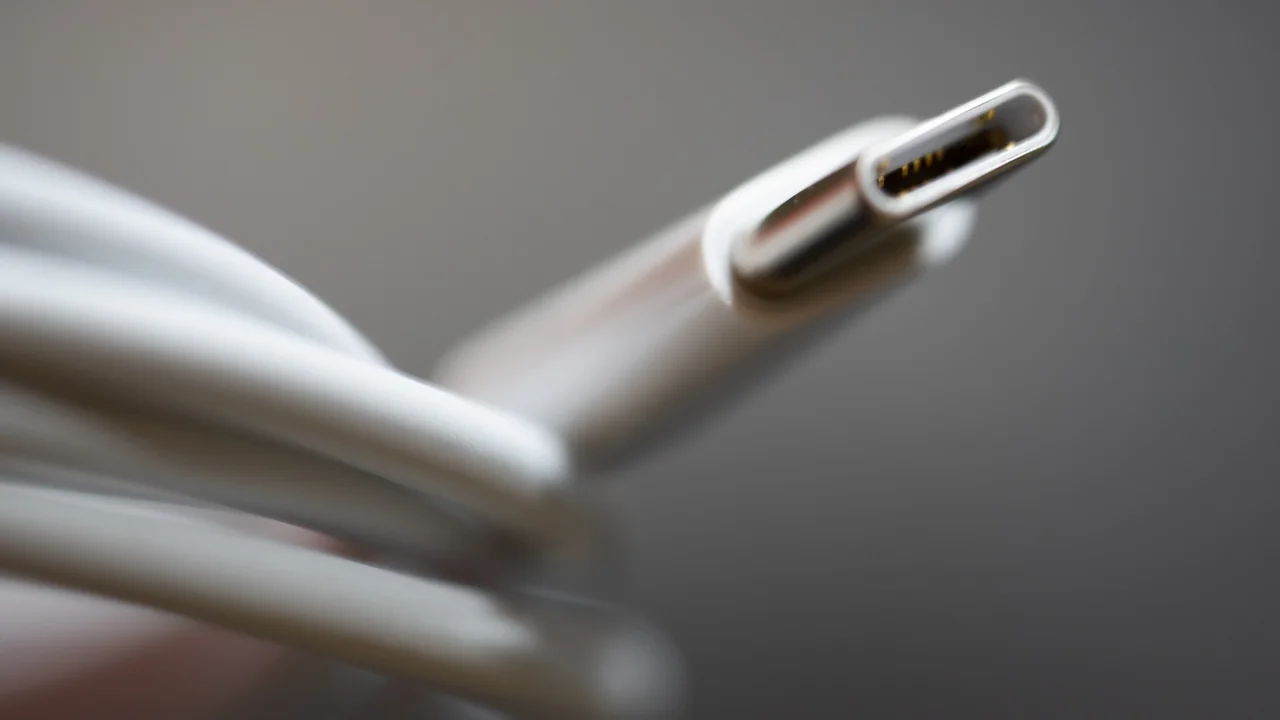
Our practical tip: if your monitor came with a bundled HDMI cable, it’s usually fine for 4K/60. If you’re chasing 4K/120 or higher over HDMI, buy a certified “Ultra High Speed HDMI” cable separately rather than trusting whatever’s in the box.
Budget tier: under $700
Sub-$700 is where 4K gaming monitors have become genuinely accessible in Australia. Expect solid IPS or entry Mini-LED panels running at 4K/60Hz to 4K/120Hz, with DisplayPort 1.4 covering the higher refresh rate modes via DSC. HDR support at this tier is usually present but modest — don’t expect the deep, punchy HDR of pricier panels, since backlight zone counts are low and peak brightness is limited.
This tier suits console gamers and PC gamers running a mid-range GPU pairing well with the current generation of AMD and Intel desktop CPUs at 1080p-to-1440p-equivalent settings upscaled to 4K. It’s also a sensible entry point if this is your first 4K display and you want to confirm you like the resolution before spending more.
Mid-range tier: $700–$1,500
This is where things get genuinely exciting, and where we’d point most enthusiast buyers in 2026. Expect proper Mini-LED implementations with several hundred dimming zones, 4K panels running comfortably at 144Hz, full-bandwidth HDMI 2.1 ports as standard, and HDR performance that actually looks like HDR rather than a marketing checkbox. Some monitors in this range are starting to include entry-level OLED options too, particularly as OLED manufacturing costs continue to fall.
This tier is the natural partner for a mid-to-high-end RTX 50 series card, or a well-specced gaming laptop connected to an external display for desk use. You’ll comfortably sustain 4K/120 in the majority of current titles with upscaling enabled, and the panel quality is high enough that you won’t feel like you’re compromising anywhere.
High-end tier: $1,500 and above
At the top end, you’re choosing between the best Mini-LED panels on the market and premium OLED gaming monitors, often running at 160Hz to 240Hz with DisplayPort 2.1 connectivity. These panels are built for buyers who want zero compromises: the deepest contrast, the fastest response times, the widest colour gamuts, and refresh rates that only a flagship GPU can properly feed.
If you’re running a top-tier RTX 50 series card and want a display that won’t become the bottleneck, this is the tier to shop in. It’s also worth considering if you do colour-sensitive creative work alongside gaming, since the best panels at this level are properly calibrated out of the box.
Warranty and consumer protections in Australia
Whichever tier you buy into, remember that Australian Consumer Law gives you protections that go well beyond the manufacturer’s printed warranty card. Under the consumer guarantees set out by the ACCC, electronics need to be of acceptable quality and fit for purpose, and you may be entitled to a repair, replacement or refund if a monitor develops a fault, regardless of whether the retailer’s own warranty period has technically expired. This is particularly relevant for OLED panels, where early-life defects like uniformity issues or dead pixels are the kind of “major failure” the guarantees are designed to cover. Keep your receipt, and don’t be talked out of a claim just because a retailer points you toward the manufacturer instead.
Practical buying tips
- Check the actual panel refresh rate and bandwidth spec, not just the marketing headline — “HDMI 2.1” alone doesn’t guarantee full-bandwidth support.
- Match refresh rate ambitions to your GPU. There’s no point buying a 240Hz panel if your card can’t push anywhere near that in the games you play.
- Factor in HDR quality, not just HDR presence — dimming zone count and peak brightness matter far more than a “HDR400/600/1000” sticker on its own.
- For OLED buyers, look for models with pixel-shifting and taskbar-dimming features built in, which meaningfully reduce burn-in risk over years of use.
- If you’re connecting a console, confirm both the console’s HDMI output spec and your cable are rated for the bandwidth you’re chasing.
Final thoughts
The good news for Australian buyers in 2026 is that there’s no longer a single “best” 4K gaming monitor, there’s a right tier and panel technology for how you actually play. Console-first households and casual PC gamers are well served under $700. Enthusiasts chasing the best all-round experience should be shopping the $700 to $1,500 Mini-LED and entry-OLED bracket. And anyone running flagship hardware who wants a display that keeps up should be looking at premium OLED or top-tier Mini-LED above $1,500.
Whatever you choose, don’t let a shiny refresh-rate number on the box distract you from the two things that actually determine your day-to-day experience: whether your GPU can realistically drive that panel, and whether your cabling and ports can carry the bandwidth you’re paying for. Get those two things right, and any monitor in this guide will feel like a genuine upgrade.