Type your address into the NBN Co online checker and you’ll get a technology code back that means precisely nothing to most people. Yet that code, more than any plan you pick afterwards, decides whether your household’s internet will hold up during a Friday night of four devices streaming at once. We get asked about this more than almost anything else in the connectivity queue, usually from someone who’s just moved house and can’t work out why their new place feels slower than the old one on paper, despite paying the same amount. So let’s actually pull apart what’s running down the street to your house, because the acronym genuinely matters.
Why the acronym on your address matters
NBN Co built Australia’s broadband network using a mix of technologies rather than one standard, largely a legacy of the 2013 rollout policy change that swapped a full fibre-to-the-premises build for a cheaper, faster-to-deploy “multi-technology mix”. That decision is still being paid for, literally, more than a decade later. Depending on your street, your address might be on full fibre, on the old pay TV cable network, on upgraded copper, or on a wireless tower. Each behaves differently under load, ages differently, and costs different amounts to upgrade.
None of this is something your retailer, Telstra, Optus, Aussie Broadband, TPG or anyone else, actually controls. They sell plans on top of whatever NBN Co has physically installed. If your connection underperforms, the retailer can escalate a fault, but it can’t rewire your street. That distinction trips a lot of people up when they’re troubleshooting a slow connection and blaming the wrong business. For general comparisons of what plans actually promise, the ACCC’s consumer guidance on NBN services is a decent neutral starting point.
FTTP: the one everyone should want
Fibre to the Premises means glass fibre optic cable runs all the way from the local exchange to a small box on the outside of your house. No copper, no degradation over distance, no interference from next door’s microwave. It’s the gold standard and it’s also, these days, available to a lot more homes than when the rollout first finished, because NBN Co has been running a programme to extend full fibre into areas that originally got copper-based technologies. You can check your own address and any planned upgrade directly through NBN Co’s own network technology pages, which list what’s running down a given street more reliably than guesswork.
In our experience this is the connection type that simply gets out of the way. It doesn’t drop out in the rain. It doesn’t slow down because the exchange is busy. If you’re building new, renovating significantly, or your street is in one of the areas being upgraded, it’s worth checking what’s actually promised against what you receive, rather than relying purely on marketing copy from a retailer’s sign-up page.
FTTN: the one doing the most damage to NBN’s reputation
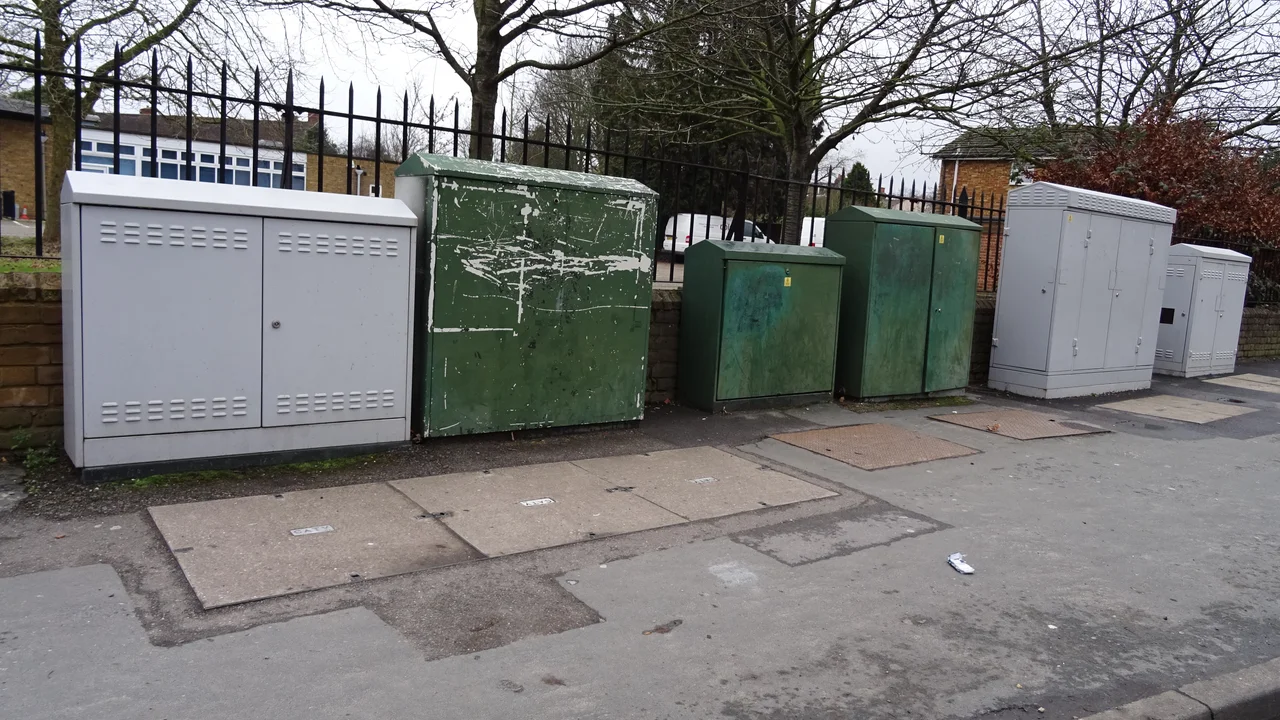
Fibre to the Node means fibre runs to a green cabinet somewhere on your street, often a few hundred metres from your house, and the final stretch to your home is the existing copper telephone line. This is the technology responsible for most of the “my NBN is slow” complaints we hear, and there’s a reasonable technical explanation: copper loses signal quality over distance, so a house 400 metres from the node might get noticeably worse speeds than one 50 metres away, even on the identical plan.
This is also where we’ll put our mildly contrarian view on the table: we don’t think FTTN should still exist in 2026. It was always meant to be a stopgap, and more than a decade on it’s still the technology most likely to leave a household stuck well under the advertised maximum speed of their plan. If you’re on FTTN and you’ve been told an upgrade isn’t scheduled for your area yet, it’s worth lodging interest anyway. Squeaky wheel and all that.
Students renting a share house on FTTN should be particularly wary before signing a 24-month plan at the highest speed tier. Paying for a fast plan on a copper connection that physically can’t deliver it is money down the drain, something an honest retailer should flag, though not all of them will volunteer it unprompted.
HFC: the cable network hand-me-down
Hybrid Fibre Coaxial uses the same coaxial cable that used to carry Foxtel and the old Telstra and Optus pay TV services. Fibre runs to a node, then coax, the thick copper-shielded cable, carries the signal the rest of the way. It’s generally more capable than FTTN because coax handles data better than old phone line copper, and most HFC connections can comfortably support the mid and higher speed tiers.
The rough edge with HFC is shared bandwidth in the evening. Because a chunk of cable in your street is shared among the households connected to it, busy periods can mean a noticeable dip in real-world speed even though your plan hasn’t changed. It’s usually not dramatic, but families who’ve just added a few smart TVs and a couple of gaming consoles to the household might notice it more than they did two years ago. If you’re chasing that down, our guide to testing your internet speed properly walks through how to tell congestion apart from a genuine fault.
FTTC: the transitional option
Fibre to the Curb pushes fibre even closer than FTTN, to a small pit near the kerb outside your home, leaving only a short run of copper to cover. It’s a meaningful step up from FTTN and can support higher speed tiers reliably for most households. It’s also a smaller slice of the overall footprint than the other technologies, so plenty of people have never heard of it simply because they’ve never lived on it.
We’d rank it a clear second behind full fibre and HFC, and genuinely fine for most households, tradies included, who mainly need dependable video calls and job-site quoting software rather than massive uploads.
Fixed wireless and satellite: the regional reality
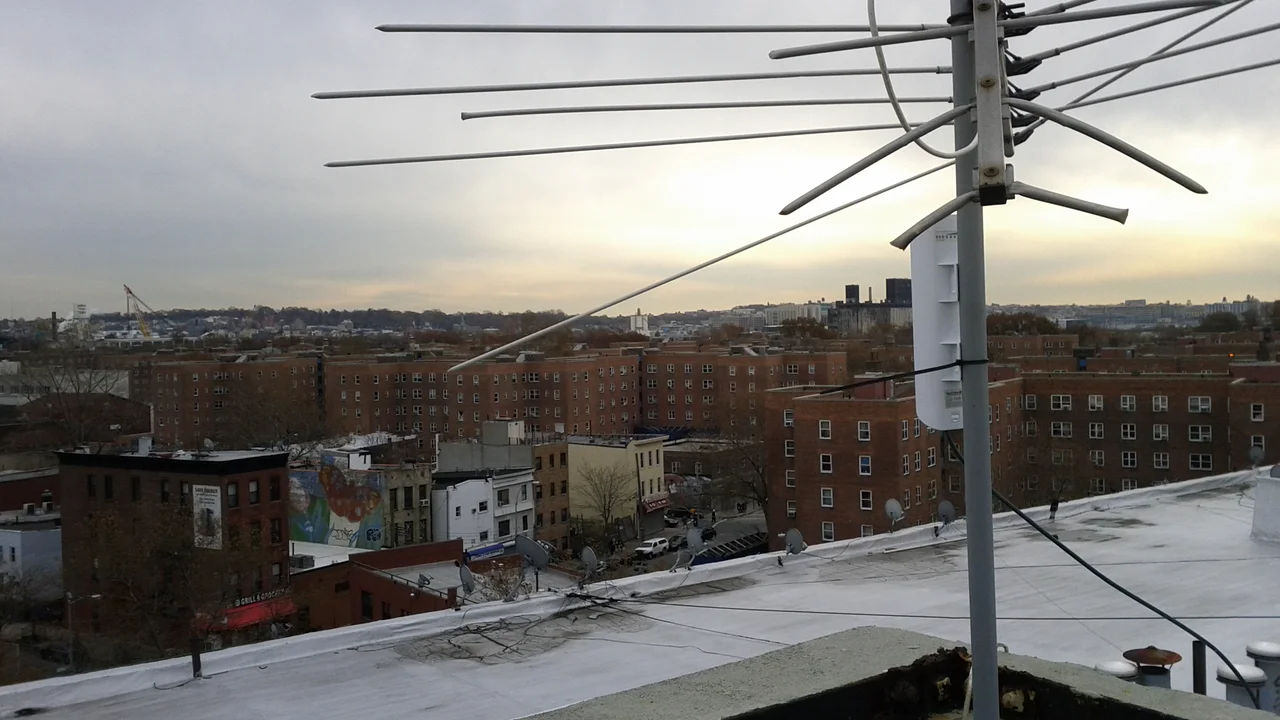
Outside the metro and large regional centre footprint, NBN Co fixed wireless uses a rooftop antenna pointed at a local tower, similar in concept to mobile broadband but on dedicated spectrum. It’s a genuinely solid option for regional households, though capacity on a given tower can get stretched in peak hours, and heavy rain can shave a bit off performance.
Further out again, Sky Muster satellite remains the fallback for the most remote addresses, with the latency trade-off that satellite always carries, noticeable in video calls and some online games, less noticeable in browsing and streaming. For travellers and grey nomads curious about alternatives on the road rather than at a fixed address, our piece on mobile hotspots and travel routers covers the gear that actually makes sense away from home.
We’d also gently push back on the assumption that fixed wireless is automatically second-rate. For a lot of semi-rural properties it’s more stable day to day than an ageing FTTN copper run would ever have been, rain fade aside.
Is it worth paying to upgrade?
NBN Co has, for several years now, offered paid upgrade options for some FTTN, FTTC and HFC premises outside the areas slated for free government-funded upgrades, where the household pays a contribution towards bringing full fibre to their door. Whether that’s worth it depends entirely on how long you plan to stay in the house and how much your household actually needs. A single renter streaming and browsing probably won’t notice the difference enough to justify the cost. A family running a side business from home, a couple of people on video calls simultaneously, or anyone relying on upload speed for cloud backup or content creation, almost certainly will.
Before paying for any upgrade or even a higher speed tier, it’s worth actually measuring what you’re getting now. We’d also suggest checking your home Wi-Fi isn’t the real bottleneck before blaming the NBN technology at all; a lot of “slow internet” complaints turn out to be Wi-Fi dead zones inside the house rather than anything NBN Co did wrong. Separately, if your NBN connection is genuinely hitting a wall on a street still stuck with FTTN and no upgrade date in sight, it’s worth comparing against the newer 5G home internet services as a stopgap, which we’ve covered in detail in our piece on 5G home internet versus NBN.
What this means for your household
Parents setting up a household for the first time, or moving for a bigger place as the kids get older, should check the technology type before signing anything, not after. A share house full of students streaming and gaming simultaneously wants HFC or fibre over FTTN every time, even if the advertised plan speed looks identical on paper. Tradies running a small operation from home, quoting software, cloud storage, calls on the go, care more about upload speed and reliability than raw headline numbers, which again points away from copper-based technologies where possible.
Honestly, the acronym on your address is one of the few genuinely useful pieces of information in the entire NBN conversation, more useful than most of what’s printed on a plan comparison page. Check it, understand it, and make your plan decisions from there rather than the other way around.
— Priya Raman, Reviews Editor, Tech Geek
Featured image: Photo:Colin, CC BY-SA 3.0.