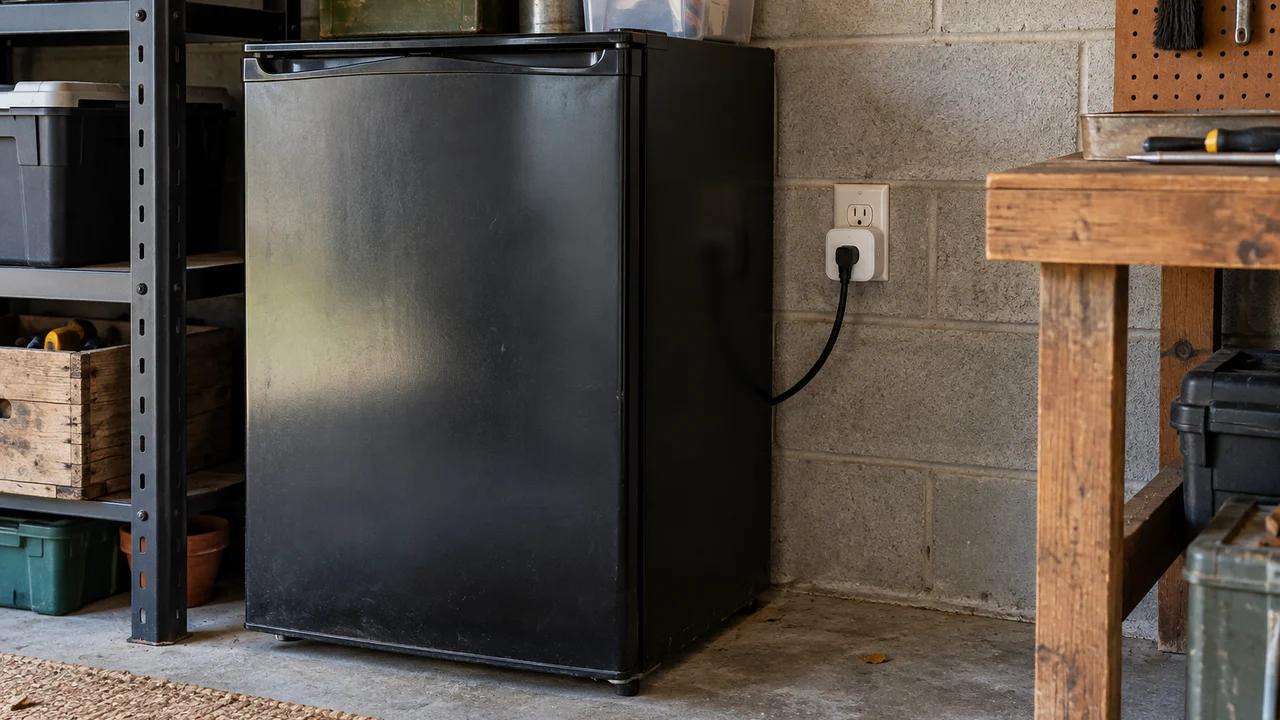
A $15 smart plug from the hardware aisle will tell you, in real time, that your old bar fridge in the garage is costing you something like $150 a year just to keep six beers cold. That’s the kind of number that actually changes behaviour. It’s also roughly the limit of what smart plugs and power monitoring can do for most Australian households, and we reckon that distinction gets lost in a lot of the marketing.
We’ve had a drawer full of these things for years now, cycling through brands as old ones stop getting updates or just stop talking to the app reliably. Our take, after all that, is that smart plugs and power monitoring are genuinely useful as a diagnostic tool and genuinely overrated as an ongoing savings mechanism. Both things are true at once, and which one matters to you depends on what kind of household you’re running.
What a smart plug actually measures
A basic smart plug just lets you turn a device on or off remotely, or on a schedule, through an app or a voice assistant. The useful ones add energy monitoring, meaning they sit between the wall socket and the appliance and report how much power is flowing through at any given moment, usually in watts, with a running total in kilowatt-hours over a day, week or month.
That’s the number that matters, because it’s the same unit your electricity retailer bills you in. Multiply the kilowatt-hours by your tariff rate, which you’ll find printed on your bill as cents per kWh, and you get a dollar figure. Some apps do this maths for you and show an estimated cost, which is handy, though we’d treat it as a rough guide rather than gospel, since it rarely accounts for time-of-use tariffs or your actual retailer’s current rate.
The appliances actually worth plugging in
Not every appliance is worth the effort. A toaster draws power for ninety seconds twice a day; monitoring it tells you nothing you couldn’t guess. The appliances where smart plugs earn their keep are the ones that run for long, unattended stretches, or that people assume are “off” when they’re not.
- Old bar fridges, chest freezers and wine fridges, especially second-hand ones without a current energy rating sticker.
- Pool pumps and pond pumps, which often run on a timer nobody’s touched in years.
- Game consoles, set-top boxes and some smart TVs left in standby mode overnight, which can pull a surprising trickle of continuous power.
We’d add one specific case that keeps coming up in reader emails: the second fridge in the garage or granny flat. It’s almost always the single biggest discovery in anyone’s first week with a monitoring plug, because it runs continuously, it’s often older and less efficient, and nobody thinks about it because it’s out of sight.
The case against whole-home monitoring systems
Here’s where we’ll push back on the general enthusiasm. A lot of the energy coaching content out there pushes whole-home monitoring systems, the kind that clip onto your switchboard and break down consumption by circuit. They’re clever bits of kit and the data is genuinely more complete than a handful of smart plugs.
But for most households we don’t think they’re worth it. The installation usually needs a licensed electrician, the hardware costs several hundred dollars before labour, and the insight you get beyond “your hot water system and your aircon use most of your power” is thin for a typical family. If you already roughly know your big three or four power users, which most people do if they stop and think about it, a whole-home system is confirming something you suspected rather than telling you something new. A $20 plug on the one appliance you’re actually unsure about gets you ninety per cent of the useful information for a tenth of the cost. We’d rather see people buy two or three targeted plugs than one expensive panel, and we’ll happily argue that point with anyone selling the panel.
Who actually benefits, by household type
Students and renters in share houses get the most immediate value, oddly enough, because the dispute is usually about who’s running the heater at 2am, not about shaving cents off a bill. A smart plug with a log settles that argument without anyone needing to trust anyone else’s word for it.
Parents juggling a few devices find the scheduling side more useful than the monitoring side: cutting a kid’s console or router off at a set time doesn’t need power monitoring at all, just a basic smart plug and a routine, and it’s one less nightly argument.
Tradies and small business owners running a workshop or a shed benefit most from the diagnostic use case we mentioned earlier, catching an old compressor or fridge that’s quietly costing more than it should. We’ve also heard from a few who use smart plugs on power tools purely for the remote shutoff, as a basic safety habit at the end of a job, which is a use case the marketing rarely mentions.
Travellers and people who holiday-let a property get value from the remote switch far more than the monitoring. Being able to turn off a heater or confirm a pool pump is running from your phone while you’re away is worth more than the kilowatt-hour log, most of the time.
Setup, and the rough edges nobody mentions
Most smart plugs in Australia connect over your home Wi-Fi, some over Bluetooth with a hub, and the better ones now support Matter, the cross-brand smart home standard that’s slowly making Google, Amazon and Apple ecosystems talk to each other properly. Matter support is worth checking for before you buy, because it means you’re not locked into one company’s app if you want to add other smart home gear later.
The setup itself is usually fine. Where it gets annoying is three things we’ve lived with: first, cheaper plugs are bulky and can block the second socket in a double power point, which matters more in older Australian homes with fewer outlets per room. Second, the apps vary wildly in quality, and a few brands have quietly stopped supporting older plug models within a couple of years, leaving you with a dumb plug and an app that won’t open. Third, and this one catches people out, a smart plug doesn’t make an appliance itself safe. It still needs to meet Australian electrical safety requirements, and anything you’re running continuously at high load, like a heater, should carry proper certification. The plug is a convenience layer, not a safety certification.
What the real dollar figure looks like
We’re wary of anyone who gives you a precise annual saving figure for smart plugs generally, because it depends entirely on what you plug them into and what your tariff is. A plug that reveals an always-on heater costing $200 a year, which you then switch off or replace, has paid for itself many times over in the first month. A plug on your microwave will save you nothing, because you were never going to leave the microwave running in the first place.
The honest framing is that the device itself doesn’t save you money. It gives you the information to make one or two decisions that do. If you buy a four-pack of smart plugs and dutifully monitor your toaster, your phone charger and your router, you’ll learn that none of them matter much, get bored, and the plugs end up in a drawer. If you buy one plug and point it specifically at the appliance you already suspect is a problem, that’s where the savings show up. Your electricity retailer’s own usage dashboard, if they offer one, is also worth checking before you spend anything, since some of that circuit-level insight is already sitting in your account for free.
What we’d actually buy
For most households we’d suggest starting small: one or two monitoring-capable plugs, Matter-compatible if you can find them at a reasonable price, put on the appliances you’re genuinely unsure about rather than spread evenly across the house. Check the plug’s maximum load rating against what you’re plugging in, particularly for heaters, and don’t put a monitoring plug on anything that draws more than its rated current just because it fits the socket.
If you’re also trying to get your broader home network sorted so these devices stay connected reliably, it’s worth reading our piece on Android privacy settings every Australian should check, since a lot of the same apps that run your smart plugs are also quietly requesting permissions worth reviewing. And if you’re building out a wider smart home setup and wondering whether your current internet plan can handle another dozen connected devices, our breakdown of 5G home internet vs NBN is a reasonable place to start. For households replacing an ageing appliance once a smart plug has outed it as the culprit, it’s also worth checking the energy rating label properly rather than guessing.
Our verdict: useful diagnosis, modest ongoing saving
We’d buy smart plugs for the information, not for the automation. The scheduling and remote control features are genuinely convenient day to day, but they’re not where the dollars are. The dollars are in the one honest look at what’s actually drawing power in your home that most of us never take, because it’s not exactly a fun Saturday activity, until the number on the app surprises you enough to actually unplug something.
That’s been our experience across several houses and a few years of fiddling with these things: the saving isn’t in owning the gadget, it’s in the five minutes of mild shock when you realise what the garage fridge has been costing you, and what you do about it afterwards. For anyone starting from scratch on connected devices generally, our guide to how much RAM do you actually need in 2026 covers a different corner of the same “don’t overbuy on specs” territory we keep coming back to in this job.
For energy basics and rebate information specific to your state, the Australian Government’s energy.gov.au site is a solid starting point, and the Energy Rating Label scheme is worth a look before replacing anything a monitoring plug has flagged as a problem.
— Priya Raman, Reviews Editor, Tech Geek
Featured image: AI-generated illustration.