Around $280 for a two-year-old phone that still does everything a brand-new budget model does, sometimes more. That’s the pitch for refurbished phones Australia wide right now, and on paper it’s a genuinely good one. We’ve tested enough of these over the years to know the pitch is mostly true. The problem isn’t the concept. It’s that “refurbished” means wildly different things depending on who’s selling it to you, and most buyers don’t know which questions to ask before the money changes hands.
This matters more than it used to. Phone prices have crept up, trade-in schemes have multiplied, and there’s now a genuine secondary market of returned, repaired and resold devices moving through everything from telco-run refurb programmes to classifieds to market stalls at your local Sunday market. Some of that stock is excellent. Some of it is a battery away from being landfill. Our job here is to help you tell the two apart before you’ve paid for either.
What “refurbished” actually means
“Refurbished” isn’t a regulated term in Australia the way “organic” is for food. It gets used for anything from a factory-certified device that’s been fully stripped, tested against a checklist, had its battery replaced if needed and come with a fresh warranty, right down to a phone someone wiped at home and listed on a classifieds app with a decent photo. Both get called refurbished. Only one of them deserves the premium pricing some sellers attach to the word.
The more reliable tier tends to come from manufacturer-run or telco-run programmes, and from specialist refurbishers who publish their grading criteria and battery health thresholds upfront. If a listing can’t tell you the battery’s maximum capacity as a percentage of new, or won’t say whether the screen is original or an aftermarket replacement, treat that as a gap, not a minor omission.
Battery health comes before everything else
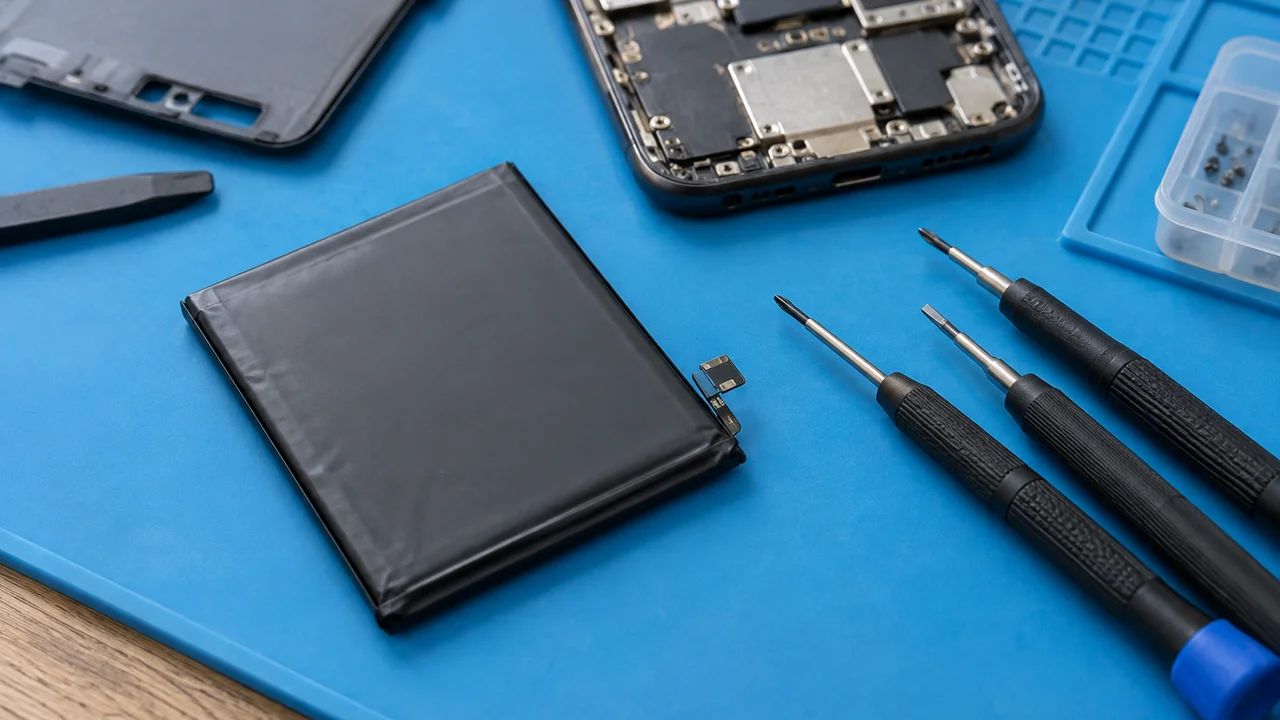
We’d argue battery condition matters more than the cosmetic grade of the phone, and we’ll die on that hill a bit. A phone with a few scuffs and 92 percent battery health beats a pristine-looking one sitting at 74 percent, every time, because you can’t un-degrade a battery without paying for a replacement. On iPhones you can check this yourself in Settings under Battery Health and Charging once you own the device, but ask the seller for this figure before you buy, not after. On Android it varies by manufacturer; some show a battery health percentage natively, others need a diagnostic app.
Anything under roughly 85 percent on a phone less than three years old is worth negotiating down on price, because you’re likely looking at a battery replacement within a year of ownership if you use the phone heavily.
This is where students and people buying a second phone for a kid tend to get caught out. The phone looks fine in every photo, the price feels reasonable, and nobody mentions that it’ll need charging twice by 3pm within six months. Ask the question directly. A seller who’s confident in their stock will have the number ready.
Checking the IMEI and blacklist status
Every phone has a unique IMEI number, found by dialling *#06# or digging through settings, and it’s the single most useful thing you can check before buying second-hand. A blacklisted IMEI means the phone has been reported lost, stolen, or has an unpaid finance balance attached to it from its previous life, and it can be blocked from Australian mobile networks even if it powers on and works perfectly in the shop. We’ve heard from readers who bought what looked like a bargain, only to have their new SIM rejected within a day because the handset was blacklisted.
Telstra, Optus and TPG all check IMEI status against the same shared industry database, so a phone blocked on one network is blocked on all of them. Ask for the IMEI before you commit to a purchase, not after you’ve handed over cash through an instant bank transfer that’s impossible to claw back.
The Australian Competition and Consumer Commission’s consumer rights guidance is worth a skim here too, because second-hand sales through private listings carry different protections to a purchase from a registered retailer, and it pays to know which situation you’re in before you argue about a refund.
How many years of updates are actually left
This is the bit spec sheets never mention and sellers rarely volunteer. Every phone has a finite window of security and software updates from its manufacturer, and buying second-hand means you’re buying into whatever’s left of that window, not a fresh one. A three-year-old flagship might have two or three years of updates remaining. A three-year-old budget phone might already be out of support entirely, which matters a lot more than people assume, because unsupported phones stop receiving the security patches that keep banking apps and personal data reasonably safe.
Before buying, look up the specific model’s update policy on the manufacturer’s own support page rather than trusting a listing’s claim. Apple, Samsung and Google all publish these timelines, and they vary significantly by model tier, not just by brand.
We’d go further: for anyone buying a second-hand phone as a long-term daily driver rather than a stopgap, remaining software support should weigh as heavily as price. A cheap phone with one year of updates left is a false economy if you’re planning to keep it for three. Readers researching upcoming devices with longer runways might find our iPhone 17 Pro review for Australia useful for comparing what a current flagship offers against what a refurbished older model is giving up.
Screen condition and repair history
A cracked screen protector is one thing. A screen that’s been replaced with a non-original part is another, and it’s surprisingly common in the second-hand market because third-party repairs are cheaper and faster than manufacturer-authorised ones. There’s nothing wrong with a quality aftermarket screen in principle, but colour accuracy, touch responsiveness and True Tone or adaptive brightness behaviour can all suffer, and it affects resale value down the track too.
Ask whether the screen is original. A straight answer, even an honest “yes, it’s been replaced with a quality part,” is a good sign. Evasiveness is not.
Check also for a swollen battery, visible as a slightly lifted screen or a back panel that doesn’t sit flush, which is a safety issue, not just a cosmetic one. Water damage indicators, usually tiny stickers inside the SIM tray that change colour on contact with moisture, are worth asking about directly if you’re buying in person.
What to prioritise depending on who you are
The right refurbished phone looks different depending on who’s buying it, and we think this gets flattened too often into generic advice.
For parents buying a first phone for a kid, we’d prioritise a cheap, replaceable device with a recent-enough software support window over anything flashy. Kids drop phones. A $250 refurbished mid-ranger that gets cracked in six months is a far less painful loss than a $700 one, and honestly the camera quality matters less here than most parents assume.
For students, battery health and storage matter more than brand prestige. A three-year-old phone with a fresh battery and 128GB of storage will serve four years of uni life better than a slightly newer one with a tired battery and 64GB, especially once lecture recordings and course apps start eating space.
For tradies, we’d lean toward ruggedness and repairability over thinness. A refurbished phone that’s already survived a worksite is a reasonable bet, but check the charging port for dust or corrosion, since that’s usually the first thing to fail in a work environment, well before the screen or battery.
Travellers buying a second-hand phone as a dedicated travel device should check it’s unlocked to all networks, not just the original carrier, since carrier-locked phones are common in the refurbished market and a nightmare to sort out once you’re overseas and need a local SIM.
Where to buy refurbished phones Australia-wide
Our mildly unpopular opinion here: we reckon classifieds marketplaces get an unfairly bad rap compared with paid refurbishment programmes, provided you do the IMEI and battery checks properly. A private seller who can show you battery health on the spot and hand over original packaging or proof of purchase is often a better bet than a certified refurb listing with vague grading and no willingness to answer questions. The certification badge isn’t a substitute for due diligence, it’s a shortcut some buyers lean on instead of doing it.
That said, for buyers who’d rather not deal with any of this themselves, a refurbisher that offers a minimum 12-month warranty and a clear grading scale removes most of the risk, for a price premium that’s often worth paying if your time is tight.
Whichever path you choose, pay by a method that offers some recourse. Bank transfers to strangers offer none. The Scamwatch service run by the ACCC is worth a look if a deal ever feels off, and it’s a good habit to check a seller’s history and reviews before transferring anything.
Our verdict on buying refurbished
Refurbished phones Australia wide remain one of the better value moves in local tech, provided you treat the purchase like you would a used car rather than a retail transaction. Check the battery health number, run the IMEI against the blacklist, confirm the remaining software support window, and ask directly about screen and repair history. None of this takes more than ten minutes, and it’s the difference between a phone that serves you well for three years and one that’s back on a marketplace listing within six months, this time with you as the seller trying to explain away the same problems nobody told you about.
If you’re weighing a refurbished buy against something new, it’s worth comparing against current budget options too; our guide to budget Android phones under $500 covers what a fresh, fully-supported device looks like at a similar price point. And if connectivity after the switch to 3G shutdown is part of your decision, our rundown on WiFi 7 in Australia home networks is a reasonable companion read for sorting out the rest of your setup.
— Priya Raman, Reviews Editor, Tech Geek
Featured image: AI-generated illustration.