Our mate’s dad bought a Surface a few months back expecting a normal Windows laptop and instead got a lesson in chip architecture he didn’t ask for. His printer driver wouldn’t install, one of his accounting tools refused to open, and he rang us genuinely annoyed, convinced he’d been sold a dud. He hadn’t. He’d bought an ARM laptop running Windows, and for about ninety percent of what he does day to day, it’s actually a better machine than what he had before. The other ten percent is where this category still bites people, and that’s worth being upfront about.
ARM laptops have been promising all-day battery life and instant-on wake since the first Windows RT devices flopped over a decade ago. This time it’s different, mostly because Qualcomm’s Snapdragon X series chips are genuinely competitive on performance, and because Microsoft has spent real engineering effort making Windows 11 run native on ARM rather than treating it as an afterthought. We’ve been following this shift closely because it changes who we’d actually recommend one of these laptops to, and the honest answer is: more people than you’d think, but not everyone.
What ARM actually means for a normal buyer
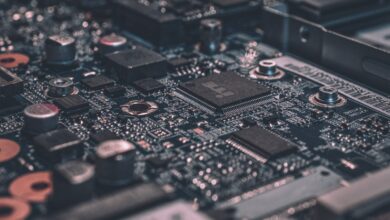
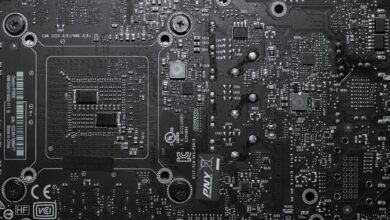
Skip the engineering detail if you want, but the short version matters. Most Windows laptops for the last three decades have run on x86 chips from Intel or AMD. ARM is a different chip design, the same family of architecture that powers basically every phone and iPad on the planet, and now Apple’s own Mac silicon too. It trades raw brute force for efficiency, which is why ARM chips sip battery compared with their x86 rivals doing equivalent work.
The catch is software. Windows software has been written and compiled for x86 since forever, so an ARM chip needs to either run a native ARM version of a programme, or emulate x86 instructions on the fly. Emulation works, these days, far better than it used to. But it isn’t free. There’s a performance cost, and some programmes simply refuse to run at all under emulation, usually ones with low-level drivers or anti-cheat software baked in.
Battery life is the actual selling point
We’ll say the quiet part out loud: the reason to buy an ARM laptop running Windows isn’t speed, it’s endurance. We’ve seen current Snapdragon X-based laptops comfortably clear a full working day of mixed use, web browsing, video calls, document editing, with battery to spare, in a way that x86 ultraportables still mostly can’t match unless you’re willing to pay Apple-tier money for an Intel or AMD machine with a huge cell crammed in.
If you’re commuting on a train from the outer suburbs into the city with no charger in sight, or you’re a student who leaves the house at eight and doesn’t see a power point until dinner, that’s the entire pitch right there. It’s not about frame rates or render times. It’s about not thinking about your charger. For comparison on where x86 options still land, our rundown of Intel Lunar Lake vs Apple M4 vs Snapdragon X Elite goes through how Intel’s own efficiency-focused chips have narrowed that gap, though they still don’t quite close it.
Microsoft’s own documentation on Windows 11 for ARM-based devices is worth a skim if you’re the type who likes to check the source rather than take a tech writer’s word for it. The Windows on ARM developer overview lays out plainly which app types run natively versus under emulation, and it’s more candid about the limitations than most retail staff tend to be.
Where compatibility genuinely trips people up
This is the bit nobody spruiking these laptops in-store tends to mention clearly enough.
Most mainstream software now runs fine. Chrome, Edge, Microsoft 365, Zoom, Spotify, Adobe’s main Creative Cloud apps, all have native ARM builds or run well enough under emulation that you won’t notice. Browsers in particular are a non-issue these days.
Where it still gets messy is peripherals and niche business software. Printer and scanner drivers are a genuine weak spot, particularly for older multifunction units that haven’t been updated by the manufacturer in years. Specialist accounting, trade and industry software, the stuff built by a small vendor for a specific profession, is a coin flip. Some webcams and capture cards misbehave. Anything requiring a kernel-level driver, which includes most anti-cheat systems in multiplayer games, either won’t install or will actively block the game from launching.
Our advice, every time someone asks us before buying: look up the exact names of the two or three programmes you absolutely cannot live without, and check compatibility before you hand over money, not after. It takes ten minutes and saves a far more annoyed phone call later.
Gaming on ARM is the weak link, and we’re not pretending otherwise
Here’s our mildly unpopular take, and we’ll argue it properly rather than just dropping it and moving on. We think ARM laptops are currently a poor choice for anyone who plays modern PC games with any regularity, and we’d go further: we think some of the marketing around “gaming on Snapdragon” oversells what’s actually a fairly rough experience right now.
Graphics drivers on ARM Windows machines are nowhere near as mature as Nvidia’s or AMD’s x86 drivers, which have had decades of per-game optimisation poured into them. Games that do run, run through emulation layers that cost performance before the frame even gets drawn. And the anti-cheat problem isn’t a minor inconvenience, it’s a dealbreaker for anything with ranked online multiplayer. You can have the most efficient chip in the laptop aisle and it won’t matter if the game simply refuses to start, which to us is a bit like turning up to a ranked match with a controller that only half the buttons work on. Technically present, practically useless.
If gaming performance matters to you even a little, we’d point you toward proper gaming hardware instead. Our buyer’s guide to gaming laptops in Australia covers what’s worth buying at every price point, and if you want to understand what the latest discrete graphics silicon actually brings to the table, our breakdown of the NVIDIA RTX 50 series in Australia is the better read before you spend real money. Cloud gaming is the one sensible workaround if you’re set on an ARM machine for everything else; we’ve covered how that stacks up in our look at cloud gaming services compared, and streaming a game from a server farm sidesteps the local hardware problem entirely, so long as your internet connection can keep up.
The Australian internet angle actually matters here
Speaking of internet connections, this is genuinely an Australian-specific wrinkle worth flagging. If your plan is to lean on cloud gaming or cloud-based creative tools to paper over an ARM laptop’s local weaknesses, your NBN plan and your mobile coverage both start to matter more than they would with a conventional gaming rig that does everything locally.
A patchy connection turns a cloud workaround into a stuttering mess fast. Worth checking your retailer’s advertised plan speed and your 5G coverage in your area realistically before you commit to that strategy, rather than assuming it’ll just work because the marketing says so. The Australian Competition and Consumer Commission publishes broadband speed monitoring data through its measuring broadband Australia programme, which is a more honest read on real-world speeds than a sales script.
Price versus the x86 alternative
At the time of writing, ARM-based Windows laptops sit roughly in line with similarly specced x86 ultraportables, sometimes a touch cheaper for comparable battery life, sometimes not. You’re not paying a premium for the architecture itself any more, which is a real shift from a few years back when ARM Windows devices were priced like a novelty.
The better question than what it costs is what you lose, because for office work, browsing and media, the answer is close to nothing, and for gaming or niche professional software the answer can be quite a lot. Worth noting too that this entire conversation sits alongside the broader chip shuffle happening in laptops generally. Apple’s own move to ARM-based silicon reshaped expectations for battery life across the whole industry, and our piece on Apple Silicon vs Intel vs AMD covers how that pressure has flowed through to what Intel and AMD now ship in response. ARM Windows laptops are, in a sense, the PC side’s answer to the same demand.
Who should actually buy one
We reckon the sensible buyer here is someone who lives mostly in a browser, a word processor, a spreadsheet and a video call, who travels or commutes a lot, and who has already checked their one or two must-have programmes will run properly. Students fit that description more often than not. So do a lot of office workers and anyone doing admin-heavy small business work who isn’t running specialist trade software.
Gamers, video editors leaning on plugin-heavy workflows, and anyone with a drawer full of older USB peripherals and printers should probably look elsewhere, at least for another generation or two of these chips. If you’re weighing up a laptop purchase against a tablet that tries to do everything, it’s also worth reading our take on Microsoft’s Surface Pro as a productivity device, since the same native-versus-emulated software question shows up there too, just wrapped in a different form factor.
We’ll be straight about one more thing: Windows on ARM is no longer the compatibility minefield it was in the RT era, and treating it like it still is does the current hardware a disservice. It’s also not yet the universal replacement for a standard laptop that some of the glossier marketing implies. Both things are true at once, and the right laptop for you depends entirely on which ten percent of software you can’t live without.