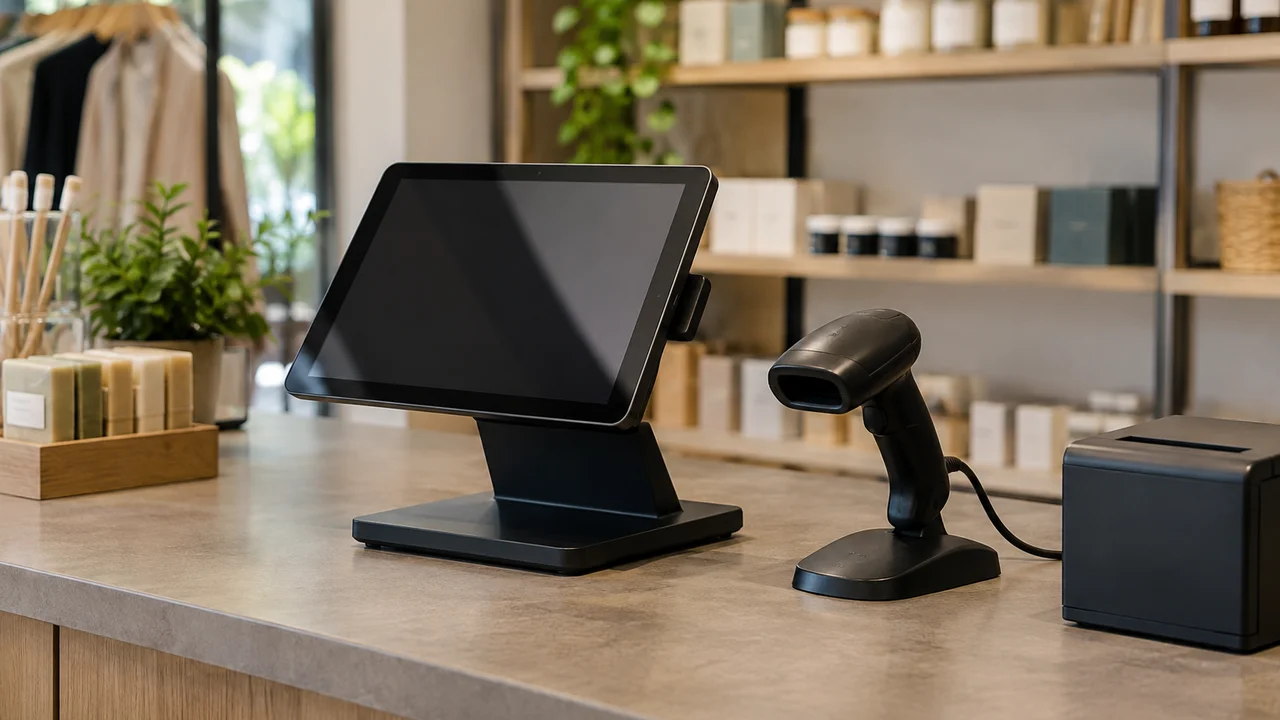
Walk into most cafés along Chapel Street in Melbourne or a gift shop on Hastings Lane in Palm Beach and you’ll see the same thing behind the counter: an iPad in a plastic cradle, a card reader, and a receipt printer that jams at the worst possible moment. That’s the modern point-of-sale system, and for a word that sounds like enterprise software, it’s become almost invisible. Which is exactly why so many small business owners pick one badly. They treat it like a gadget purchase instead of what it actually is: the system that will run every sale, every stocktake and every GST report for the next three to five years.
We’ve spent a fair bit of time this year looking at how small Australian retailers and hospitality venues choose their setups, and the pattern is consistent. Owners optimise for the sign-up price and the sales rep’s pitch, then discover the real costs, card fees, support contracts, hardware lock-in, months later. A point-of-sale system is not a one-off purchase. It’s closer to choosing a bank.
What a point-of-sale system actually does
Strip away the branding and every point-of-sale (POS) system does four jobs: it takes payment, it tracks what you sold, it talks to your accounting software, and it keeps a record the Australian Taxation Office would accept if it ever came knocking. Older systems were just glorified cash registers. Current ones are small business management platforms wearing a till’s clothing, handling rosters, loyalty programmes, supplier orders and multi-location reporting from the same dashboard.
That expansion is mostly good news. It’s also why the category has got more confusing. A café owner comparing two systems isn’t comparing like for like any more, one might be a payments company that added retail features, the other a retail platform that added payments. The features overlap enough to look identical in a demo and diverge enough to matter six months in.
Our take: work out which of the four jobs matters most to your shop before you look at a single product page. A bottle shop cares about stock tracking. A hairdresser cares about bookings and loyalty. A market stall mostly just needs to take a tap-and-go payment without the eftpos machine timing out.
The cost nobody mentions upfront
Most POS providers lead with a monthly software fee, often somewhere in the $30 to $100 a month range depending on the plan and how many registers you’re running. That number is almost never the real cost of the system.
The real cost is the merchant fee on every card transaction, typically somewhere between 1 and 2 per cent depending on the card type, the provider and whether you’re on their own integrated payments or a separate acquirer. On a shop doing $300,000 a year in card sales, the difference between a 1.2 per cent rate and a 1.9 per cent rate is a few thousand dollars annually, more than the software subscription itself. We’d argue this is the single most under-negotiated line item in Australian retail, and most owners never ask the question because the sales rep frames the software fee as “the cost” and buries the transaction rate in a separate conversation.
Hardware lock-in
The second trap is hardware. Several systems only work with their own branded card readers and printers, which is fine until that reader fails on a Saturday and you’re waiting three days for a replacement because it’s not something you can buy at the hardware store down the road. Before signing anything, ask directly whether the hardware is proprietary or off-the-shelf, and what happens if it breaks during trade.
Verdict: read the merchant fee schedule before the feature list, because that’s the number that compounds.
Cloud versus offline reliability
Nearly every modern POS system runs on the cloud, meaning your sales data lives on the provider’s servers, not a hard drive under the counter. That’s generally an improvement: automatic backups, access from your phone, software updates that just happen overnight. But it introduces a dependency that older systems didn’t have, your internet connection.
If your shop’s NBN connection drops, or your retailer has an outage, can you still take a payment? Good systems have an offline mode that queues transactions locally and syncs once the connection returns. Weaker ones simply stop working, which is a genuinely bad experience in front of a queue of customers on a Saturday morning. Ask specifically about offline mode in the sales demo, not as an afterthought. We’ve watched a demo go beautifully and then asked “what happens if the Wi-Fi drops right now” and watched the sales rep’s face change.
It’s worth having a mobile data backup regardless, a spare 4G or 5G hotspot, or at minimum a phone plan from a different network to your fixed-line internet provider, so a single telco outage doesn’t take out your till completely. This isn’t a new problem; it’s the same logic shopkeepers applied when the phone line to the eftpos terminal used to drop out in the 1990s. The infrastructure changed, the underlying risk didn’t. Readers who want the broader context on which connections are actually fragile should have a look at our piece on public Wi-Fi safety and real risks, which covers some of the same network reliability ground from a different angle.
Matching the system to your shop type
There’s no single best point-of-sale system, which is the uncomfortable truth most buyer’s guides avoid saying outright. The right choice depends heavily on what you sell.
- Hospitality venues need table management, split bills and kitchen printer integration, features a pure retail system handles poorly or not at all.
- Retail shops with serious stock levels need proper inventory management: barcode scanning, supplier purchase orders, and stocktake tools that reconcile against sales automatically.
- Service businesses, hairdressers, tradies, personal trainers, usually need booking and calendar integration more than they need inventory at all.
We’d gently push back on the common advice to “pick the market leader and you can’t go wrong.” That’s true for avoiding an obviously broken product, but it ignores that the market leader in hospitality POS is frequently a mediocre fit for a specialty retailer, and vice versa. Popularity isn’t the same as suitability, and plenty of businesses are paying for features they’ll never touch because a rep sold them the flagship plan.
Data security and your customers’ details
A point-of-sale system holds more than sales figures. Depending on what you’ve connected, it can hold customer names, phone numbers, loyalty data and partial payment details. That makes it a target, and it makes you responsible under Australian privacy law for how it’s handled.
If your business has turnover under the small business exemption threshold, the Privacy Act’s full obligations may not apply to you directly, but most POS providers still process data in a way that touches the OAIC’s privacy guidance, particularly if there’s ever a breach involving customer card or contact details. It’s worth checking where your provider actually stores data (Australian servers or offshore), what their breach notification process looks like, and whether they’re compliant with the PCI DSS payment card standard, which any legitimate provider should be able to confirm without hesitation.
If something does go wrong, the ACSC’s ReportCyber service is the right place to report it, and it’s a sensible habit to know that before you need it rather than during a breach at 11pm. For broader context on keeping the rest of a small operation secure, our guide to cyber security basics for sole traders covers the ground a POS vendor’s sales pitch won’t.
The admin and tax reporting side
This is the unglamorous bit that actually saves the most time. A decent POS system should export cleanly into your accounting software, whether that’s Xero, MYOB or something else, and should correctly separate GST on taxable sales from GST-free items if you sell any of the latter. Get this wrong and you’re manually reconciling categories every quarter, which is exactly the kind of task that eats a Sunday afternoon for no good reason.
Ask during the sales process, specifically, how the system handles a mixed GST cart (say, a grocer selling both fresh produce and packaged snacks) and whether the Business Activity Statement export is automatic or requires manual tagging. This detail rarely comes up unprompted, and it’s one of the more reliable tells for whether a system was actually built for Australian tax requirements or adapted from a US platform after the fact.
We’d also flag that good backup habits matter just as much for sales data as they do for anything else on your network. Our broader piece on how small businesses should back up their data is worth reading alongside this one, because a POS provider going under or losing your historical sales data is not a hypothetical, it’s happened to real shops relying on smaller cloud providers that didn’t survive.
What we’d actually do
If we were opening a small shop tomorrow, we’d shortlist no more than three systems, insist on seeing the full fee schedule including card rates in writing before any demo, and specifically stress-test the offline mode rather than taking a sales rep’s word for it. We’d also resist the pull toward the system with the longest feature list. Most small shops use perhaps a third of what a modern POS platform offers, and paying a premium for loyalty programmes, multi-location dashboards and advanced analytics you’ll never open is money better spent on stock or staff.
The contrarian bit, and we’ll own it: we think most small Australian retailers are over-specified on their POS software and under-negotiated on their card processing rate. Everyone agonises over which app looks nicer on the iPad. Almost nobody picks up the phone and asks for a better merchant fee, even though that’s the number that actually compounds every single sale, forever. A system with a plainer interface and a genuinely competitive transaction rate will beat a flashier one with a padded fee, every time, once you run the numbers over a full year.
Fair dinkum, it’s not exciting work, ringing around for a better rate on card fees. But it’s the hard yards that actually move the needle on a shop’s margin, far more than which app has the nicer loyalty screen.
Before you sign anything
Ask for a month-to-month trial rather than a locked-in annual contract, even if it costs slightly more per month. Ask what happens to your sales history if you leave, whether it exports cleanly or whether you lose years of data the moment you cancel. And ask an existing customer, not a reference the sales rep hand-picked, but someone in a similar business you can find yourself, how support actually responds when something breaks on a busy Saturday.
None of this is complicated, but it’s the kind of due diligence that gets skipped because POS shopping feels like buying an app rather than signing a multi-year operational contract. Treat it like the latter and the decision gets a lot clearer.
— Dale Whitfield, Founding Editor, Tech Geek
Featured image: Photo:Ryan Hodnett, CC BY-SA 4.0.