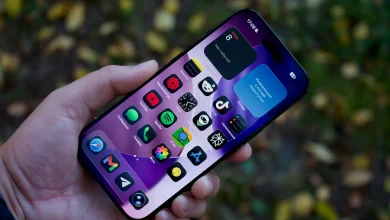
If you’ve picked up a phone in the last couple of years, you’ve already been using AI photography — you probably just didn’t notice. The shutter button is no longer a shutter button. It’s a request. You press it, and behind the scenes a small army of neural networks decides what your photo should look like: how bright, how sharp, how warm, which face to focus on, whether to merge ten frames into one, whether to invent detail that wasn’t actually there. The camera app on a 2026 flagship is closer to a tiny image studio than to the glass-and-sensor cameras most of us grew up with.
That’s been a quiet revolution, and like most quiet revolutions, it’s a mixed bag. Em on our gadgets desk has been benchmarking phone cameras for years, and her take is that 2026 is the first year the AI features feel genuinely mature rather than experimental — but it’s also the year the line between “edited” and “fabricated” got properly blurry. So our team wanted to write the post we kept wishing existed: an honest run-through of what AI is actually doing inside your phone camera right now, which features are worth using, which are marketing fluff, and how to get the best results without accidentally publishing something that isn’t really a photo of what you saw.
What “AI photography” actually means in 2026
Strip away the marketing and there are really two different things happening when you take a picture on a modern phone. The first is computational photography — the camera captures a burst of frames (sometimes a dozen or more, at different exposures), and an on-device neural network stitches them into a single image. That’s how your phone can shoot a backlit face at sunset without blowing out the sky, or a dim restaurant scene without the noise that used to define indoor phone photos. None of that is new in principle. What’s new is the speed and quality, because the neural processing unit (NPU) on a 2026 chipset can do in a fraction of a second what used to take a desktop a minute.
The second thing is generative editing — features like magic eraser, object remove, generative fill, sky replacement, and the various “make it look better” buttons. This is where the camera stops describing what the sensor saw and starts inventing pixels. Sometimes that’s brilliant (the rubbish bin behind your kid’s birthday cake quietly vanishing). Sometimes it’s a problem (a sky that was never that blue, a face that was never quite that happy). The hardware enabling this is essentially the same as the hardware behind generative AI on the desktop — just smaller, faster, and running on-device for privacy and latency reasons.
The features that are genuinely useful
After months of testing, here are the AI features our team reaches for repeatedly — the ones that solve real problems rather than create them:
- Low-light and night mode. The single biggest quality-of-life improvement in mobile photography. Indoor restaurants, dusky beaches, kids’ birthdays after sunset — all photographable without a flash that ruins the mood. The AI is doing exposure stacking and noise reduction, not invention, so the results still look like the scene.
- Action and motion capture. Phones now pre-buffer frames before you press the shutter, then pick the sharpest one. Dogs mid-leap, toddlers mid-tantrum, surfers mid-wave — the keeper rate has gone from maybe one in ten to something closer to seven in ten.
- Audio transcription and live captions. Not strictly photography, but the same NPU now transcribes videos as you shoot them. For anyone making short-form content, that’s hours saved.
- Document and whiteboard capture. Auto-cropping, perspective correction, glare removal. Quietly excellent. We rarely use a scanner app anymore.
- Targeted object removal. The original “magic eraser” feature has matured. Removing a stranger from the edge of a holiday photo, or a power line from a landscape, mostly works without leaving obvious smudges.
The thread connecting all of these is that they enhance or clean up what was actually there, rather than inventing something new. They make the phone better at the job it always had.
The features that are mostly gimmicks
And then there’s the other pile. These tend to dominate the ads, which is telling:
- One-tap “professional” or “enhance” buttons. They almost always over-sharpen, over-saturate, and crush shadows. Photos end up looking like phone-camera photos from 2018 that someone ran a filter over. Skip.
- AI sky replacement. A grey overcast sky becomes a Tuscan sunset at the tap of a button. Looks great in the preview, looks ridiculous in the finished photo because nothing else in the scene matches the new lighting. It’s also the feature most likely to get you accused of faking a landscape.
- Generative “expand the frame” tools. Sometimes useful for cropping flexibility, but the invented edges rarely hold up to scrutiny. Hands grow extra fingers. Buildings sprout impossible windows.
- AI portrait “beautify” filters. Smooth skin into wax, narrow jawlines, brighten teeth. We’d argue these belong in the same bucket as heavy Instagram filters — fine if you know what you’re doing, corrosive if it becomes the default.
- Style transfer (“make it look like a film photo”). Fun for about three photos, then it stops being interesting. The “film” look is just a LUT with grain pasted on top.
Em’s rule of thumb: if the feature lives on the main shooting screen, it’s probably useful. If it lives three menus deep under “AI tools” or “Magic”, it’s probably a gimmick the marketing team insisted on.
Apple, Google and Samsung take very different paths
Three companies, three philosophies, and the differences matter more than the spec sheets suggest.
Apple is the conservative end of the spectrum. Computational photography is aggressive, but generative editing is deliberately restrained. Clean Up (their object remove tool) exists, but Apple has been notably reluctant to ship generative fill or sky replacement. The pitch is essentially: this is still a photograph of what you saw. For a lot of people that’s reassuring; for others it feels behind the curve.
Google sits in the middle. Pixel has had Magic Eraser since 2021 and has steadily added Magic Editor, Best Take (which composites faces across multiple frames so nobody’s blinking), and generative fill. Google is more relaxed about the line between editing and invention, and the results are usually impressive — but Best Take in particular has prompted real debate about whether a composite “smile” from a different moment in time is still a photograph.
Samsung goes furthest. Galaxy AI photo tools include aggressive generative fill, object remove, motion-blur fixing that essentially redraws moving subjects, and various style transfers. The results can be spectacular and they can also be uncanny. Samsung has, to its credit, started watermarking AI-edited images in metadata — a small but important nod to provenance.
None of these is the “right” approach. But if you care about your photos being a record rather than a creation, that probably nudges you toward Apple. If you want the most flexible editing toolkit, Samsung. Google is the comfortable middle. We’ve gone deeper on the broader question of what makes phones the most versatile gadgets most of us own, but for cameras specifically, the philosophy difference is genuinely consequential.
Where editing stops and fabrication starts
This is the question nobody quite wants to answer, and it’s where things get uncomfortable. Removing red-eye is editing. Stacking ten exposures into one well-lit frame is editing. Removing a passer-by from the background — probably still editing. Replacing the sky, swapping someone’s expression from a different photo taken three seconds later, generating an entire background that wasn’t there? That’s a different thing, and pretending otherwise is unhelpful.
The Australian eSafety Commissioner has published clear guidance on AI-generated and AI-altered images, particularly around deepfakes and intimate imagery, and the rules apply just as much to a casually-edited phone photo shared on social media as they do to anything more deliberate. There’s also a privacy dimension that’s easy to overlook — phones increasingly process facial data on-device, and the OAIC’s guidance on biometric information and photo metadata is worth a read if you’ve ever shared a kid’s school photo, a workplace ID shot, or a group photo from a private event.
None of this means you shouldn’t use AI tools. It means you should know which side of the line you’re on, and ideally be honest about it — particularly if you’re posting publicly, selling a property, or doing anything where the image is a piece of information rather than just a personal memory.
Getting the best out of your phone camera in 2026
After all that, here’s the boring practical advice that actually moves the needle on photo quality:
- Clean the lens. Seriously. Half the “my phone camera is rubbish” complaints we get are pocket lint on the rear glass. A microfibre cloth solves more problems than any AI feature ever will.
- Use the main camera whenever you can. The ultrawide and the telephoto have smaller sensors and lean harder on AI to compensate. The main sensor produces noticeably better raw data, which means the computational pipeline has more to work with.
- Tap to set focus and exposure. The AI is usually right about what you want sharp, but “usually” isn’t “always”, and a quick tap costs nothing.
- Shoot in good light when you have the option. Night mode is amazing, but it’s still a recovery tool. A photo taken in daylight will always have more genuine detail than one rescued from dusk.
- Turn off the “scene optimiser” / “AI enhance” toggle if your photos look over-cooked. Buried in the camera settings on most phones. Worth experimenting with both states.
- Shoot RAW occasionally. If your phone supports it (most flagships do), RAW captures the unprocessed data and gives you control over what the AI would have decided for you. Useful when you care about the result.
If you’re nostalgic for the era when phones first started being seriously good at photography, it’s worth remembering that the foundations for everything happening today were laid more than a decade ago — our retrospective on the Nokia Lumia 930 still holds up as a snapshot of where the smartphone camera first started being taken seriously as a creative tool. And looking forward, the next frontier isn’t really the camera at all — it’s the screen you view photos on, with AR glasses starting to change how we capture and revisit imagery in ways the phone-as-camera model can’t quite touch.
Final thoughts
Mobile photography in 2026 is, in most respects, the best it has ever been. A flagship phone in good light produces images that would have required a serious mirrorless camera ten years ago, and in bad light it now does things no camera, at any price, could do without AI help. That’s a genuine win, and we don’t want to be churlish about it.
But it’s also the year you can no longer take a phone photo entirely at face value, even your own. The shutter has become a suggestion, the sensor has become an input among many, and somewhere in between “what was there” and “what looks good” your phone is quietly making decisions for you. The trick — and Em comes back to this every time we have the conversation — is to use the tools that make your photos better at being photos, ignore the ones that make them better at being something else, and stay honest with yourself (and anyone you share with) about which is which. Do that, and 2026 is a brilliant time to be carrying a camera around in your pocket.