Walk into any university library in Australia right now and you will see laptops open to three things: lecture notes, a referencing guide, and a chat window with an AI model. That is not a moral panic observation, that is just what we have watched happen on campus visits in Sydney, Brisbane and Melbourne over the past eighteen months. The question is no longer whether students use AI. It is whether they are using it in a way that helps them learn, or in a way that will get them in front of an academic integrity panel.
Our team has spent the first half of 2026 testing the tools students actually reach for, talking to lecturers about where the line is, and reading every Australian university AI policy we could find. Priya has been talking with uni students about how they actually use these models day to day, and the picture is messier than either the “AI is the death of education” crowd or the “AI changes everything” crowd would have you believe. Here is our honest read on what is useful, what is risky, and what counts as plagiarism in the Australian context in 2026.
What Australian universities actually say about AI in 2026
The Tertiary Education Quality and Standards Agency (TEQSA) has been pushing providers toward an “assessment reform” model rather than outright bans, and that has filtered down into individual university policies. The Group of Eight have mostly settled on a traffic-light approach: green for brainstorming, structuring and proofreading; amber for drafting with disclosure; red for submitting AI-generated work as your own. Regional universities like UNE, CSU and JCU have largely followed suit, though the wording varies.
What this means in practice for an undergraduate at the University of Sydney, Monash, UQ, UWA, ANU or UniMelb is roughly:
- Generally fine: using AI to explain a concept, generate practice questions, summarise a reading you have already done, or check your grammar.
- Fine if disclosed: using AI to brainstorm an essay outline, suggest counter-arguments, or rewrite a clunky paragraph. Most unit outlines now have a declaration box.
- Plagiarism: submitting a ChatGPT-generated essay with your name on it, paraphrasing AI output without attribution, or using AI in a closed exam.
Secondary students face a stricter landscape. The HSC, VCE and QCE all treat AI use in assessable take-home tasks as potential malpractice unless the rubric explicitly permits it. NESA, VCAA and QCAA have each released guidance for teachers in the past twelve months, and the common theme is that draft history must be demonstrable. If a Year 12 student cannot show a working trail of notes, edits and drafts, they are exposed.
The best free AI tools for note-taking and lectures
This is the category where we think students get the most legitimate value, because the work of synthesising messy lecture audio into structured notes is grunt work, not the actual thinking part of learning.
- NotebookLM (free, Google): Still our pick of the bunch in 2026. You upload your lecture slides, recorded audio (with your lecturer’s permission) and prescribed readings, and it answers questions grounded only in those sources. Crucially, it cites which document each answer came from, which makes it useful for revision rather than hallucination-prone summarising.
- Otter.ai (free tier, 300 minutes/month): Transcribes lectures in real time. The paid Pro tier is around AUD $25/month if you need more minutes. Accuracy on Australian accents has improved noticeably this year.
- Microsoft Copilot in OneNote: Free for students through most university Microsoft 365 accounts. Decent for turning scribbled tutorial notes into structured summaries.
One caution from Em on the gadgets desk: always check whether your lecturer permits recording. Some do, some explicitly do not, and a handful of faculties treat unauthorised recording as a separate disciplinary matter from anything AI related.
Drafting tools: ChatGPT, Claude and Gemini compared for student use
All three major chatbots have free tiers in 2026, and all three are good enough for the brainstorming and proofreading use cases universities consider acceptable.
- ChatGPT Free: Limited GPT-5 access plus unlimited use of the smaller model. Good general-purpose default. Plus tier is around AUD $30/month.
- Claude Free: Our pick for longer essays and humanities work. Handles long readings well and tends to push back more when a prompt is asking it to do something academically dodgy. Pro is roughly AUD $30/month.
- Gemini Free: Strong on maths and anything that benefits from a quick web lookup. Integrated with Google Docs if your uni runs on Workspace.
Priya’s take is that the choice between them matters less than how you use them. A student who asks Claude to “write me a 2,000 word essay on Australian federation” and submits it has plagiarised, regardless of which model produced it. A student who asks the same model to “give me three counter-arguments to my thesis on Australian federation” has used a study tool, the same way our parents used their tutorial classmates.
Study planning, language learning, maths and code
Outside of the writing space, AI is genuinely useful in ways that almost nobody disputes.
- Study planning: Free tools like Notion AI (limited free tier) and Goblin Tools can turn a vague “I have three assignments due in two weeks” into a day-by-day plan. We have found this especially helpful for students with ADHD.
- Language learning: Duolingo Max, Speak and ChatGPT’s voice mode are all genuinely good conversation partners. Useful for AU students doing a language major or prepping for exchange.
- Maths: Wolfram Alpha remains the gold standard for showing working. Gemini and ChatGPT are both better at maths than they were two years ago but still occasionally confidently wrong.
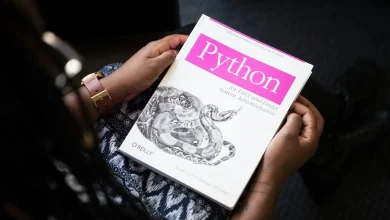
- Code: For comp sci, software engineering and data science students, AI coding assistants are now part of the job they are training for. If you are learning Python in particular, we have written more about why the Python programming language is so popular and why it has become the default first language at most AU unis.
Where AI use crosses into plagiarism
Dale, our editor, keeps a screenshot folder of academic integrity decisions published by various AU universities (the ones that publish anonymised case summaries). The patterns are consistent. Students get pinged for:
- Submitting essays that contain phrases statistically associated with AI output (“delve into”, “tapestry of”, “it is important to note that”) in a writing style markedly different from their previous work.
- Citing sources that do not exist. AI fabricates references constantly, and a marker checking a bibliography will spot a fake DOI in under a minute.
- Failing to disclose AI assistance when the unit outline required it. This one catches good-faith students who did not read the rubric carefully.
- Using AI in a closed online exam where keystroke monitoring or proctoring software caught the tab switch.
The honest position, in our view, is that the line is roughly the same line that has always existed: did you do the thinking, or did someone (or something) else do it for you? AI just makes the second option much easier and much more tempting.
AI detectors are not reliable enough to trust
Turnitin, GPTZero and the various other detection tools are still, in 2026, not accurate enough to be the sole basis of a plagiarism finding. False positive rates on non-native English speakers remain a known problem, and most AU universities now explicitly tell markers that detector scores are a signal to investigate, not evidence on their own. That cuts both ways. Students who have written legitimately can still get flagged, and students who have used AI carefully can slip through. The actual evidence in integrity hearings tends to be draft history, version control in Word or Google Docs, and oral defences (“can you explain what you meant by this paragraph?”).
Citations, Zotero and AI summarisation done properly
One workflow we genuinely recommend: use Zotero (free, open source) to manage your references, then use NotebookLM or Claude to summarise PDFs you have already added to your library. This keeps the citation trail honest, because Zotero is pulling real metadata from journals and library catalogues, while the AI is only summarising sources you have legitimately found yourself. The failure mode to avoid is asking ChatGPT to “give me five sources on X” and pasting whatever it invents.
Privacy: what happens to your data with US AI vendors
This is the part most students do not think about. When you paste an unpublished essay into ChatGPT, Claude or Gemini, you are sending it to servers operated by US companies, governed by US law, and (depending on settings) potentially used for model training. The Office of the Australian Information Commissioner has published useful general guidance on AI and privacy that is worth reading before you upload anything sensitive, and you can find it on the OAIC website. The eSafety Commissioner has separately published guidance specifically aimed at students and educators dealing with generative AI, available at eSafety.gov.au.
Practical advice from our team:
- Turn off chat history and model training in your account settings on whichever tool you use. All three major providers now offer this.
- Do not paste anything containing other people’s personal information (interview transcripts, group project member details, clinical case notes for nursing students) into a public AI tool.
- Check whether your university provides an institutional AI tool. Several Go8 unis now offer a sandboxed Copilot or ChatGPT Edu instance that does not train on your inputs.
Watch out for dodgy AI “study help” sites
Josh on the PC desk has been tracking a worrying rise in AI “homework help” sites that are essentially scams: they take your money, deliver low-quality output, and in some cases harvest your student ID and payment details. If a site is promising guaranteed HD marks for a flat fee, it is almost certainly either useless, fraudulent, or contract cheating (which is a criminal offence in Australia under the TEQSA Act amendments). Our guide to how to spot a scam website covers the warning signs.
The remote study setup matters more than the AI tool
One last thing we have noticed: students who study well with AI tools tend to have a decent remote setup. A reliable laptop, a second screen, a usable mobile workflow for reading on the train. The AI is the least interesting part of that stack. We covered the basics in our piece on reliable mobile tools for work-from-home success, and the same logic applies to study-from-home.
Final thoughts
The AI tools available to Australian students in 2026 are, on balance, a net positive for learning, provided they are used the way a good tutor would be used: to challenge your thinking, to explain hard concepts a third way after the lecturer and the textbook have failed, to catch your typos before submission. The risk is not that AI will make students dumber. The risk is that AI makes it frictionless to skip the part of education that actually matters, which is the struggle of working something out yourself.
Our advice to students reading this: read your unit outline, use the disclosure box honestly, keep your drafts, do not paste sensitive information into US-hosted models, and remember that the marker can almost always tell. Use AI to think harder, not to think less. That is the version of this technology that is worth having on your laptop in the library.